Quick Answer
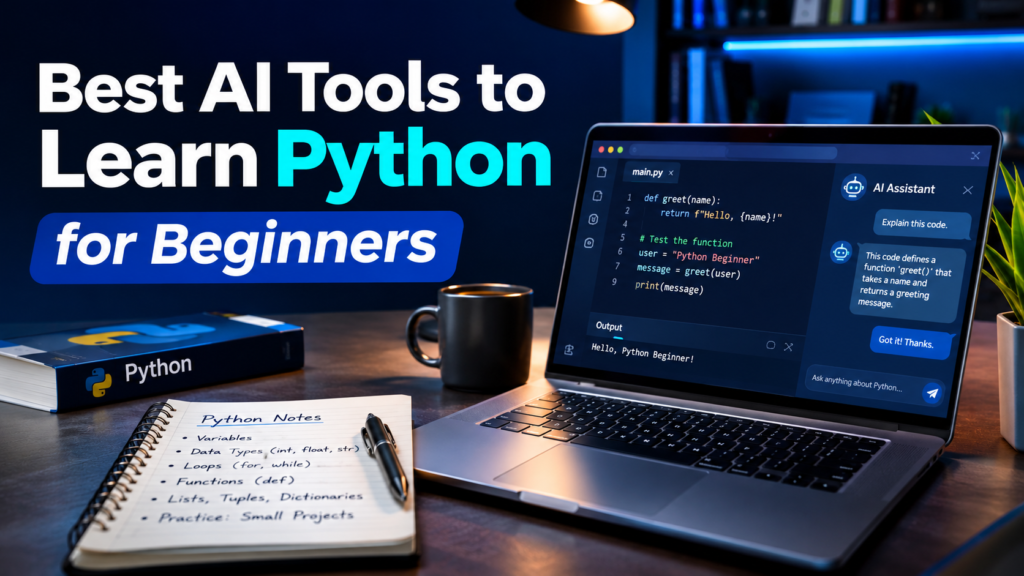
The best AI tools to learn Python for beginners in 2026 include ChatGPT Study Mode, DeepLearning.AI’s AI Python for Beginners course, Codecademy’s AI Learning Assistant, Google Gemini, GitHub Copilot, and Replit.
Each option supports a different part of the learning process. Some explain programming concepts, others provide structured lessons, and some help learners write, run, and debug Python code.
Here are our top recommendations:
| Tool | Best For |
|---|---|
| ChatGPT Study Mode | Learning Python concepts step by step |
| DeepLearning.AI AI Python for Beginners | Following a structured Python course |
| Codecademy | Interactive lessons and guided coding practice |
| Google Gemini | Understanding Python concepts and examples |
| GitHub Copilot | Explaining and debugging existing Python code |
| Replit | Writing and running Python projects online |
Our recommendation: Beginners should start with a structured learning resource and use an AI tutor to understand difficult concepts. ChatGPT Study Mode and DeepLearning.AI are particularly useful starting points. As learners gain experience, coding assistants such as GitHub Copilot and Replit can help them explore more practical projects.
Introduction
Learning Python can be an exciting first step into programming, but getting started is not always easy.
A beginner might understand what a variable is but struggle to use it in a program. Someone learning loops may understand the explanation but have difficulty writing the correct code. Even a small syntax error can make a simple program stop working.
This is where AI-assisted learning can help.
Modern AI tools can explain programming concepts, generate examples, answer questions, review code, and help learners understand errors. Some platforms also combine AI assistance with structured lessons and coding exercises.
However, not every AI coding tool is designed to teach programming.
For example, an AI coding assistant might generate an entire Python function when a learner asks for help. That can save time, but it does not necessarily explain how the function works or why a particular approach is correct.
The best AI tools to learn Python for beginners should do more than produce working code. They should help learners understand programming fundamentals, practice independently, recognize mistakes, and gradually become comfortable writing their own programs.
In this guide, we compare AI learning assistants, coding tools, and structured Python courses to help beginners choose the right starting point.
Best AI Tools to Learn Python for Beginners
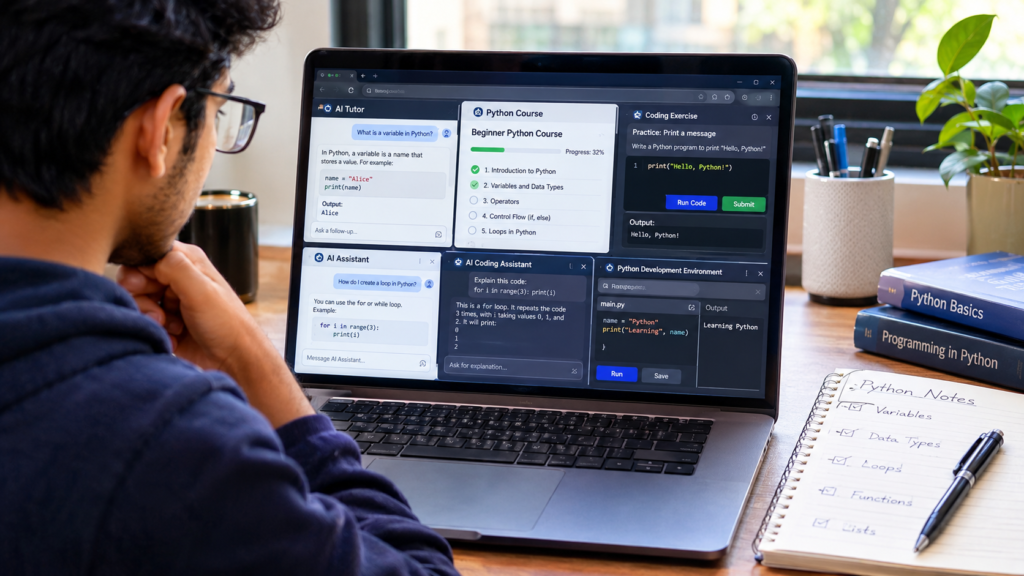
The following products were selected based on their documented learning features, Python relevance, beginner suitability, and available learning support.
They are not all the same type of product. Some are AI tutors, some are coding assistants, and others are structured learning platforms.
1. ChatGPT Study Mode – Best Overall AI Python Learning Assistant
ChatGPT Study Mode helps beginners learn Python through guided explanations, interactive questions, and step-by-step coding practice. It focuses on helping learners understand concepts rather than simply providing final answers.
name = “Alex”
age = 18
print(“Hello,”, name)
# Learn one concept at a time
01 / Product Overview
Product type: AI learning assistant
Best for: Beginners who want step-by-step Python explanations and interactive practice.
ChatGPT Study Mode is a learning experience designed to help users understand subjects through guided explanations, questions, and feedback.
Instead of simply returning a final answer, it can break a topic into smaller sections, ask questions, and check whether the learner understands the material.
This makes it a useful option for people who want to learn Python fundamentals with AI assistance.
02 / How ChatGPT Helps Beginners Learn Python
A beginner can ask ChatGPT to explain topics such as:
03 / Practical Python Learning Example
For example, a learner could ask:
ChatGPT can explain the concept, provide an example, and then ask the learner to complete a similar exercise. It can also help explain error messages and review code that a beginner has written.
04 / Key Learning Features
05 / Free vs. Paid
FREE AVAILABILITY
Study Mode is available across ChatGPT plans, including the Free plan. However, normal plan usage limits apply.
PAID CONSIDERATIONS
Paid ChatGPT plans provide expanded access and higher usage limits, depending on the plan.
06 / Advantages & Limitations
✓ Advantages
- Useful for understanding unfamiliar Python concepts.
- Can adapt explanations to a beginner’s level.
- Supports interactive learning.
- Helps learners understand mistakes.
- Can create additional practice exercises.
! Limitations
- It is not a complete Python course with a fixed curriculum.
- AI explanations can occasionally be incorrect.
- It does not replace regular coding practice.
- Usage limits depend on the account plan.
2. DeepLearning.AI – AI Python for Beginners
DeepLearning.AI’s AI Python for Beginners is a structured course that introduces Python programming while showing how AI assistants can support the coding process. It combines organized lessons with practical examples and hands-on learning.
01 Product Overview
Product type: Structured AI-assisted Python course
Best for: Complete beginners who prefer organized lessons and practical examples.
DeepLearning.AI’s AI Python for Beginners is a structured course designed to introduce Python programming while demonstrating how AI assistants can support the coding process.
Unlike a general-purpose chatbot, this resource follows a defined learning sequence.
The course covers Python fundamentals and practical applications, including using AI assistants to explain concepts, identify bugs, and work through coding problems.
02 How It Helps Beginners Learn Python
The course introduces important programming concepts through video lessons, code examples, and assignments. Topics include:
03. Practical Learning & AI Assistance
The course also introduces practical applications, including building simple AI-powered projects. It includes an integrated AI chatbot that can help learners understand code and work through programming problems.
04 Key Learning Features
05 Free vs. Paid
FREE AVAILABILITY
The official course page currently advertises free enrollment during the learning platform’s beta period.
PRO CONSIDERATIONS
DeepLearning.AI PRO provides additional learning features, including graded assignments and certificate access.
06 Advantages & Limitations
✓ Advantages
- Provides a structured learning path.
- Suitable for people starting with little or no coding experience.
- Combines programming fundamentals with practical AI applications.
- Includes code examples and assignments.
- Helps learners understand how AI can support programming.
! Limitations
- It is a course rather than a general-purpose Python tutor.
- Some assessment and certificate features require PRO.
- Learners still need independent coding practice.
- Its AI-focused projects may introduce additional concepts after the basics.
3. Codecademy – Best for Interactive Python Learning
Codecademy combines interactive Python lessons, coding exercises, and AI-assisted explanations to help beginners learn programming in a more structured environment.
def greet(name):
return “Hello, “ + name
print(greet(“Alex”))
# Practice coding step by step
01 / Product Overview
Product type: Interactive programming education platform with AI assistance
Best for: Beginners who prefer lessons, coding exercises, and structured practice.
Codecademy provides interactive programming courses that allow learners to work with code while following lessons.
Its AI Learning Assistant adds another layer of support by helping learners understand coding problems, review solutions, and explain programming concepts.
This combination makes Codecademy worth considering for people who want more structure than a general AI chatbot provides.
02 / How Codecademy Helps Beginners Learn Python
Rather than relying entirely on conversational explanations, learners can follow Python lessons and complete coding exercises within the platform.
The AI Learning Assistant can provide help when learners encounter difficulties.
Practical Learning Example
If a beginner writes a Python statement incorrectly, they can ask the assistant to explain the error and guide them toward understanding the problem.
Understand the coding mistake, review the problem, and learn why a particular solution works.
03 / Key Learning Features
04 / Free vs. Paid
FREE AVAILABILITY
Codecademy has a Basic free plan. However, access to individual courses depends on whether they are marked as free courses. Some lessons, projects, and additional learning features require a subscription.
Its AI Learning Assistant is available to free learners with limited daily prompts.
PAID CONSIDERATIONS
Paid plans provide access to additional learning content and features. Codecademy currently lists Plus and Pro subscription options.
Current Listed Subscription Prices
05 / Advantages & Limitations
✓ Advantages
- Provides structured programming lessons.
- Offers interactive coding practice.
- AI assistance is integrated into the learning environment.
- Helps learners understand errors and concepts.
- Provides a more organized learning experience than a standalone chatbot.
! Limitations
- Not every Python course is free.
- Free AI assistance has usage restrictions.
- Some projects and learning features require paid access.
- Learners should still practice independently.
4. Google Gemini – Best General-Purpose AI Learning Assistant
Google Gemini can help beginners understand Python concepts through conversational explanations, code examples, and practice questions. It works as a supplementary learning assistant rather than a dedicated Python teaching platform.
Understand both concepts through clear explanations, code examples, and a short practice question.
01 Product Overview
Product type: General-purpose AI assistant
Best for: Beginners who want alternative explanations, Python examples, and practice questions.
Google Gemini can help learners understand Python concepts by answering questions, explaining code, and generating examples.
It is not a dedicated Python teaching platform, but its conversational capabilities make it a useful supplementary learning resource.
02 How Gemini Helps Beginners Learn Python
A beginner can ask Gemini to explain programming topics in simpler language.
Practical Python Learning Example
For example, a learner could ask:
Gemini can provide explanations and examples that help learners compare the two concepts.
It can also assist with:
03 Key Learning Features
04 Free vs. Paid
FREE AVAILABILITY
Gemini offers free access with usage limits. The available models and features can vary depending on the account, region, and current Google AI plan.
PAID CONSIDERATIONS
Google AI subscriptions provide expanded access to selected models and features. Pricing and availability depend on the country and subscription.
05 Advantages & Limitations
✓ Advantages
- Useful for alternative explanations.
- Helps beginners explore unfamiliar topics.
- Can generate simple Python examples.
- Supports conversational learning.
- Can assist with debugging and code walkthroughs.
! Limitations
- Does not provide a complete Python curriculum by itself.
- AI-generated code may contain mistakes.
- Free access has usage limits.
- Some features are restricted by age or account eligibility.
5. GitHub Copilot – Best for Understanding and Debugging Python Code
GitHub Copilot helps learners write, understand, and improve Python code with AI-powered coding suggestions, explanations, and debugging assistance. It is particularly useful once beginners start building small programs.
def calculate_total(price, quantity):
return price * quantity
result = calculate_total(10, 3)
print(result)
# Copilot can help explain this code
01 Product Overview
Product type: AI coding assistant
Best for: Learners who already understand basic Python and want assistance while writing code.
GitHub Copilot is an AI coding assistant designed to support software development.
It can suggest code, answer coding questions, explain existing code, and help developers work through programming problems.
For Python beginners, its value becomes more apparent after learning basic syntax and starting to write small programs.
It should not be confused with a complete beginner Python course.
02 How GitHub Copilot Helps Python Learners
Suppose a learner has written a Python function but does not understand why it returns an unexpected result.
Practical Coding Assistance
They can ask Copilot to explain the function and identify possible problems.
Ask the AI assistant to walk through the existing code, explain what each part does, and help identify possible mistakes.
It can also help with:
GitHub Copilot can be used through supported development environments and GitHub interfaces.
03 Key Learning Features
04 Free vs. Paid
FREE AVAILABILITY
GitHub Copilot Free is available at no cost. Its published plan currently includes 2,000 code completions per month, with additional restrictions on premium features and usage.
PAID CONSIDERATIONS
Paid plans provide expanded access to coding assistance and additional features. GitHub currently lists Pro, Pro+, and Max individual subscriptions.
Current Listed Individual Plan Prices
05 Advantages & Limitations
✓ Advantages
- Helpful when learning inside a code editor.
- Can explain existing Python code.
- Supports debugging workflows.
- Provides coding suggestions.
- Useful for progressing toward practical projects.
! Limitations
- Not designed as a complete Python learning curriculum.
- Beginners may become dependent on code suggestions.
- Some features require a subscription.
- Generated code must be reviewed and tested.
Replit – Best AI-Powered Browser Coding Environment
Replit gives beginners a browser-based place to write, run, and experiment with Python code. Its AI assistance can help users understand and modify projects without requiring an immediate local development setup.
How Replit Helps Beginners Learn Python
Learners can create a Python project, write code, and run it directly in the browser. They can experiment with simple programs and use AI assistance to investigate coding problems.
# A simple Python practice program
def greet(name):
    return "Hello, " + name

student = "Python Learner"
print(greet(student))
Illustrative Python example showing the kind of code beginners can practice in a browser-based coding environment.
Possible Python Learning Activities
- Writing basic Python programs.
- Running and modifying code.
- Experimenting with functions.
- Building simple projects.
- Understanding programming errors.
- Exploring application development.
Key Learning Features
Free vs Paid: Replit Pricing
Offers limited access to Replit platform features. AI availability and usage limits may vary.
Listed monthly billing price. A discounted annual billing option is also shown on the official pricing page.
Higher-tier plans provide additional development resources and AI capabilities. Check the official pricing page for current plan limits.
Advantages and Limitations
Advantages
- No complicated local setup is needed to start experimenting.
- Easy to run Python projects in a browser.
- Supports practical coding activities.
- AI assistance can help explain and modify code.
- Useful for experimenting with small projects.
Limitations
- Not a structured Python beginner course.
- AI-generated applications may contain errors.
- Some AI features and development resources have usage limits.
- Advanced project creation can distract beginners from learning fundamentals.
Official Replit Resources
Visit Replit’s official website to explore its coding environment and review current subscription options.
Comparison Table: Best AI Tools to Learn Python for Beginners
The following table summarizes the main differences between the six options.
| Tool | Best For | Python Learning Support | Free Option | Main Limitation |
|---|---|---|---|---|
| ChatGPT Study Mode | Concept explanations | Guided learning, quizzes, explanations | Yes With usage limits |
No fixed Python curriculum |
| DeepLearning.AI | Structured learning | Lessons, examples, assignments, AI support | Beta access Course currently offers beta access |
Some graded features require PRO |
| Codecademy | Interactive practice | Lessons, coding exercises, AI feedback | Basic plan | Restricted course and AI access |
| Google Gemini | Learning assistance | Explanations, examples, practice questions | Yes With usage limits |
Not a dedicated Python course |
| GitHub Copilot | Code explanations | Code suggestions and debugging | Limited plan | Not ideal as a first programming course |
| Replit | Running Python projects | Browser coding and AI assistance | Starter plan | AI project generation is not structured teaching |
Note: Free-plan access, usage limits, and course availability may change. Check each tool’s official website for the latest details.
Which one should you choose?
• For step-by-step explanations: ChatGPT Study Mode.
• For a structured course: DeepLearning.AI.
• For interactive lessons: Codecademy.
• For alternative explanations: Google Gemini.
• For code explanations and debugging: GitHub Copilot.
• For running Python projects: Replit.
How We Selected These Tools
Selecting the best AI tools to learn Python for beginners requires more than checking whether a product can generate Python code.
A coding assistant may be powerful for experienced programmers but confusing for someone who has never written a program.
For this guide, we used a research-based evaluation approach.
Beginner Friendliness
We considered whether the product could support someone starting with little or no programming knowledge.
We gave particular importance to simple explanations, structured lessons, and accessible learning experiences.
Python Learning Support
We considered whether the platform documents Python-related learning or coding capabilities.
This included Python examples, concept explanations, coding exercises, and debugging support.
Guided Practice
We considered whether learners could practice programming rather than simply read generated answers.
Interactive exercises, quizzes, and code feedback were relevant factors.
Debugging Assistance
We examined documented capabilities related to code explanations, error identification, and debugging.
Project Support
We considered whether the product could help beginners move from basic examples toward small Python projects.
Free Accessibility
We reviewed publicly documented free plans and course access.
Free availability does not necessarily mean unlimited usage or access to every feature.
Transparency and Limitations
We also considered official documentation, pricing information, usage restrictions, and relevant eligibility requirements.
Research methodology disclosure: This article uses publicly available product documentation and official feature information. It does not claim independent hands-on testing of every product. Pricing, free-plan availability, and features should be reconfirmed before publication because providers can change their offerings.
How to Learn Python Using AI Tools: Step-by-Step
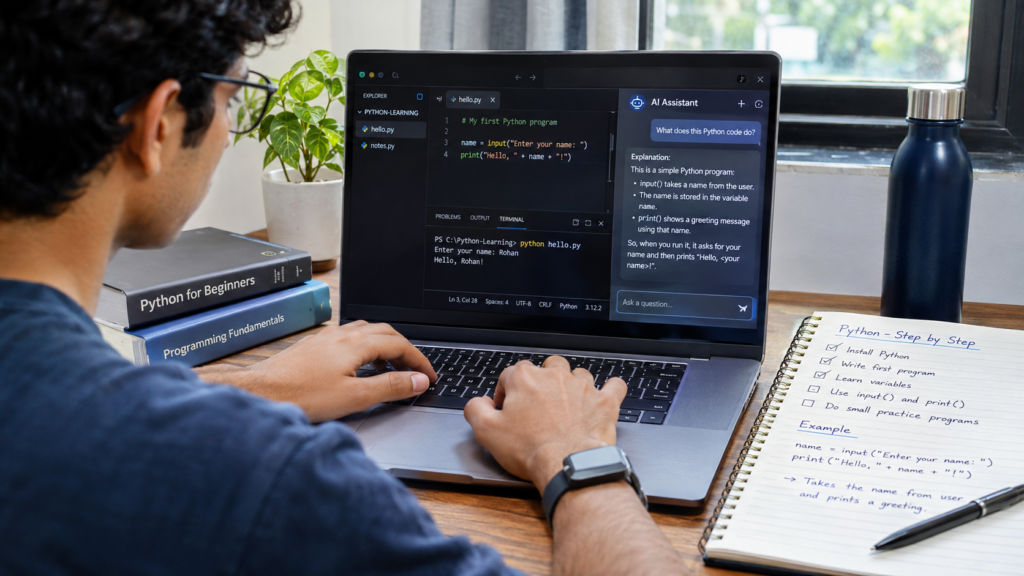
Choosing an AI tool is only the beginning. Beginners also need a practical learning sequence.
Here is a simple workflow for learning Python with AI assistance.
Step 1: Understand Python Fundamentals
Start by learning what Python is, how programs work, and how to run a simple Python script.
Ask an AI learning assistant:
“Explain Python programming to someone who has never coded before. Start with the basics and give me a simple example.”
Focus on understanding:
• What programming means.
• How Python executes instructions.
• What a Python script is.
• How to run a basic program.
Do not rush into advanced topics.
Step 2: Learn Variables and Data Types
Variables allow programs to store and work with information.
Start with:
• Integers.
• Floating-point numbers.
• Strings.
• Booleans.
Ask AI to explain each data type using everyday examples.
Then write small programs yourself.
Step 3: Practice Conditional Statements
Conditional statements allow Python programs to make decisions.
Learn:
• if statements.
• elif statements.
• else statements.
• Comparison operators.
Ask an AI tutor to explain how Python makes decisions and provide a few beginner exercises.
Try writing the solutions before asking for help.
Step 4: Understand Loops
Loops allow programs to repeat instructions.
Start with:
• for loops.
• while loops.
• The range() function.
Ask the AI assistant to explain the difference between a for loop and a while loop.
Then practice writing short programs that repeat simple tasks.
Step 5: Learn Functions
Functions help programmers organize reusable instructions.
Learn:
• Defining a function.
• Function parameters.
• Return values.
• Calling functions.
Ask AI to explain why functions are useful and provide a simple example.
Try modifying the example to perform a different task.
Step 6: Work With Lists and Dictionaries
Lists and dictionaries help programs organize multiple values.
Learn:
• Creating lists.
• Accessing list items.
• Adding and removing items.
• Creating dictionaries.
• Accessing dictionary values.
Ask AI to compare lists and dictionaries using a simple example, then complete a practice exercise.
Step 7: Learn to Understand Errors
Do not treat every error as a problem that AI must fix immediately.
Instead, learn how to read error messages.
When a program fails:
- Read the error message.
- Identify the relevant line.
- Understand what the message indicates.
- Ask AI to explain the cause.
- Attempt a correction.
- Run the program again.
This process develops independent debugging skills.
Step 8: Build Small Python Projects
Once you understand the fundamentals, begin working on simple projects.
Good beginner projects include:
• A basic calculator.
• A simple quiz.
• A personal task list.
• A number-conversion program.
• A basic expense calculator.
Use AI to break each project into manageable steps.
Try writing each part yourself before requesting suggestions.
Free vs. Paid AI Python Learning Tools
Beginners do not necessarily need a paid subscription to start learning Python.
Several platforms offer free access, although their available features and usage limits differ.
Free Options
ChatGPT
Study Mode is available on the Free plan, subject to normal usage limits.
It can help explain programming concepts, create exercises, and check understanding.
DeepLearning.AI
The AI Python for Beginners course currently advertises free enrollment during its platform beta.
Some graded assignments and certificate features require PRO.
Codecademy
The Basic plan offers free access to selected courses.
Its AI Learning Assistant is available to free learners with limited daily prompts.
Google Gemini
The free version can assist with Python explanations, examples, and coding questions, subject to usage limits.
GitHub Copilot
The Free plan provides a limited amount of code completion and access to selected AI features.
Replit
The Starter plan provides an entry point for browser-based coding, with restrictions on available resources and AI capabilities.
Paid Options
Paid subscriptions may provide:
• Higher AI usage limits.
• Access to additional models.
• More coding assistance.
• Additional learning courses.
• More projects and development resources.
• Expanded assessments and learning features.
Examples include ChatGPT paid plans, Codecademy Plus and Pro, GitHub Copilot Pro, and Replit Core.
Should Beginners Pay for AI Tools?
Not necessarily.
Start with free resources and identify what is missing from your learning experience.
If you need more structured lessons, interactive exercises, or additional coding support, consider whether a paid platform offers something genuinely useful.
Compare subscription costs, billing periods, cancellation terms, and usage restrictions before purchasing.
Frequently Asked Questions
Yes. AI learning assistants can explain Python fundamentals, provide examples, answer questions, and create practice exercises.
However, beginners should combine AI assistance with structured lessons and regular coding practice.
ChatGPT Study Mode is a strong option for interactive explanations and guided learning.
DeepLearning.AI’s AI Python for Beginners course is another useful choice for learners who prefer a structured curriculum.
Yes. ChatGPT can explain Python syntax, variables, loops, functions, lists, dictionaries, and debugging concepts.
Study Mode can make the experience more interactive by asking questions and checking your understanding.
Yes. ChatGPT, Google Gemini, GitHub Copilot, Codecademy, and DeepLearning.AI offer free access in different forms.
However, free access may include usage limits, restricted courses, or limited AI features.
Yes. You can provide an error message and the relevant code to an AI assistant and ask it to explain the cause.
However, you should review the explanation and test any suggested correction.
Not by itself.
Coding assistants can generate and explain code, but beginners still need to understand programming concepts, practice writing code, and solve problems independently.
Start with small exercises covering variables, conditions, loops, and functions.
Once you understand these concepts, work on simple projects such as calculators, quizzes, and task lists.
Try solving problems yourself before asking AI for help.
Continue Learning
Learning Python is one part of developing broader digital and problem-solving skills.
Explore these related IndiaAITools.com guides to discover other AI-assisted learning resources:
These guides cover different educational needs and can help readers explore additional ways to use AI responsibly while learning.
Conclusion
Learning Python becomes easier when beginners have access to clear explanations, useful examples, structured lessons, and opportunities to practice.
The best AI tools to learn Python for beginners are not necessarily the ones that generate the most code. They are the ones that help learners understand why their code works, recognize mistakes, and develop independent programming skills.
ChatGPT Study Mode is a strong choice for guided explanations and interactive learning. DeepLearning.AI provides a structured introduction to Python with integrated AI assistance. Codecademy is useful for interactive lessons, while Google Gemini offers additional explanations and examples.
GitHub Copilot and Replit become more valuable as learners gain confidence and begin working on their own Python projects.
You do not need to subscribe to every platform or use multiple AI tools at the same time.
Choose one structured learning resource, add an AI assistant when you need explanations, and practice writing your own programs consistently.
Most importantly, focus on understanding the code rather than simply generating it. That is what turns an AI-assisted beginner into a confident Python learner.
Sources & Official References
Official websites, product documentation, pricing pages, and learning resources.