Quick Answer
Best AI Learning Tools for Middle School Students (Grades 6–8) in 2026 depend on their grade level, learning goals, subject, and age-related account requirements.
For guided academic support, Khanmigo is a strong option. CK-12 Flexi is particularly useful for math and science explanations, while Quizlet helps students review lessons through flashcards and practice activities. Canva Education supports creative school projects, and MagicSchool provides teacher-managed AI learning experiences.
Students interested in understanding how artificial intelligence works can also explore Google Teachable Machine with appropriate guidance.
Not every tool is suitable for independent use by younger students. Parents and teachers should check age restrictions, account requirements, privacy policies, and school rules before allowing access.
Introduction
Middle school is an important stage in a student’s education.
Students in Grades 6–8 begin exploring more challenging subjects, including pre-algebra, life science, earth science, English language arts, history, and research-based projects.
Sometimes, a textbook explanation isn’t enough. Students may need another example, a simpler explanation, additional practice questions, or help organizing their study material.
This is where educational AI tools can provide additional support.
AI-powered learning platforms can help students explore difficult concepts, practice academic skills, organize information, and develop creative projects.
However, choosing an AI tool for a middle school student is different from choosing one for a college student.
Many students in Grade 6 are under 13, while students in Grades 7 and 8 may be 13 or older. Different platforms have different minimum-age requirements and parental or school-supervision rules.
This guide compares educational AI tools based on their learning applications, subject suitability, access requirements, free options, and limitations.
The goal isn’t to encourage students to depend on AI for every assignment. It’s to help families and educators identify tools that can support genuine learning while preserving independent thinking.
Best AI Learning Tools for Middle School Students
There isn’t one AI platform that works equally well for every middle school student.
Some tools are designed for guided tutoring, others support revision, and some help teachers create structured learning activities.
Here are six options worth considering.
Khanmigo by Khan Academy
Khanmigo by Khan Academy
Best for: Guided academic tutoring and understanding difficult concepts.
Official Website: khanmigo.ai
Visit Official Website →Khanmigo is an AI-powered learning assistant developed by Khan Academy.
Unlike a conventional answer generator, it is designed to guide learners through questions and explanations so they can understand how to approach a problem.
What It Does
Khanmigo supports learning across subjects such as:
Students can ask questions, explore concepts, and work through academic problems with guided assistance.
Useful Features
- Conversational tutoring.
- Guided explanations.
- Writing feedback.
- Interactive learning support.
- Follow-up questions.
- Support for different academic subjects.
Practical Middle-School Example
A seventh-grade student is learning fractions and ratios but doesn’t understand how to compare two ratios.
Instead of immediately asking for the answer, the student can work through a guided explanation using familiar examples.
Learning objective: Understand the mathematical process and then solve another problem independently.
Free vs. Paid
Parent and Learner Subscription
Or $44 per year.
- Khan Academy’s core learning library is free.
- Teacher access is free for eligible educators.
- District access has separate pricing arrangements.
Age and Access Requirements
- Parents or guardians must be involved in setting up learner access for students under 18.
- The parent or learner subscription requires an adult account holder who meets Khan Academy’s US eligibility requirements.
- Classroom access for students is available through participating school or district implementations.
Pros and Cons
✓ Pros
- Encourages learning through guided questions.
- Supports several academic subjects.
- Provides an educational alternative to answer-only assistance.
- Connects AI support with Khan Academy’s learning resources.
✕ Cons
- Parent or school involvement is necessary for minors.
- Learner access is not completely free.
- AI explanations still require verification.
Limitations
Who Should Use It?
Families looking for a guided AI tutoring option and schools considering structured AI-supported instruction.
CK-12 Flexi
CK-12 Flexi
Best for: Mathematics, science, and concept-based learning.
Official Website: ck12.org
Visit Official Website →CK-12 Flexi is an AI-powered learning assistant from the CK-12 Foundation.
It is particularly relevant to middle school because students frequently encounter new mathematical concepts and increasingly detailed science topics during Grades 6–8.
What It Does
Flexi helps students understand academic concepts through explanations, interactive conversations, and guided problem-solving.
Students can use it to explore questions involving:
Useful Features
- Step-by-step explanations.
- Personalized learning assistance.
- Follow-up questions.
- Adaptive practice.
- Educational content through the CK-12 platform.
Practical Middle-School Example
A sixth-grade student is learning about the water cycle.
The student can ask Flexi to explain evaporation, condensation, and precipitation using simple examples.
Learning objective: After understanding the explanation, the student can try describing the process without assistance.
Free vs. Paid
Flexi AI Tutor
CK-12 describes Flexi as a free AI tutor. Its educational resources are also available without a standard paid tutoring subscription.
Age and Access Requirements
- Students under 13 cannot independently create CK-12 accounts.
- A parent or teacher must help establish and manage their access.
- CK-12’s published privacy documentation explains its approach to student information and school agreements.
- CK-12 states that it is not formally covered by COPPA or FERPA, so schools and parents should review its privacy practices rather than assume those laws automatically apply to the platform.
Pros and Cons
✓ Pros
- Free AI tutoring.
- Particularly useful for math and science.
- Provides explanations instead of only final answers.
- Supports additional practice.
✕ Cons
- Strongest fit is for academic subjects rather than every learning activity.
- AI-generated explanations can contain errors.
- Students still need guidance when using generated answers.
Limitations
Who Should Use It?
Students who need additional help understanding math and science concepts, with appropriate parent or teacher involvement.
Quizlet
Quizlet
Best for: Revision, vocabulary, flashcards, and practice tests.
Official Website: quizlet.com
Visit Official Website →Quizlet is a digital learning platform that helps students organize and review information.
Its AI-powered study features can turn learning materials into structured revision resources.
What It Does
Students can use Quizlet to study:
Useful Features
- Digital flashcards.
- AI-generated practice tests.
- Study guide generation.
- PDF summarization.
- AI flashcard creation.
- Homework learning assistance.
Practical Middle-School Example
An eighth-grade student is preparing for a biology test about cells.
The student can organize important terms such as nucleus, cytoplasm, cell membrane, and mitochondria into flashcards.
Practice tests can then help identify which concepts need further revision.
Learning objective: Improve recall and identify topics that need additional study.
Free vs. Paid
Free Account Access
Quizlet offers free account access and some free AI study features.
More advanced capabilities are included in its paid Quizlet Plus subscriptions.
- Free access to selected study features.
- Paid plans unlock additional capabilities.
- Exact feature availability and usage limits can change.
Age and Access Requirements
- Quizlet’s terms describe the service as intended for users over 13.
- Restricted child accounts are also available for younger users.
- Children under 13 must use a parent’s email during account creation.
- Certain features are unavailable in the restricted experience.
- Parents should check whether the particular AI features they want are available for the child’s account.
Pros and Cons
✓ Pros
- Useful for active recall.
- Supports several school subjects.
- Helps organize revision material.
- Offers both flashcards and practice tests.
✕ Cons
- Some advanced features require payment.
- Students may memorize information without understanding it.
- AI-generated study materials can contain mistakes.
Limitations
Who Should Use It?
Students who want to organize vocabulary, review class material, and prepare for school assessments.
Canva Education
Canva Education
Best for: School presentations, visual projects, posters, and creative learning.
Official Website: canva.com/education
Visit Official Website →Canva Education provides educational design resources for teachers and eligible K–12 students.
Although Canva is not primarily an AI tutoring platform, its AI-supported creative features make it useful for certain classroom projects.
What It Does
Students can create:
Useful Features
- Presentation templates.
- Visual design tools.
- Educational content templates.
- Collaborative editing.
- AI-assisted writing features.
- Image and design editing capabilities.
Practical Middle-School Example
A seventh-grade student has to prepare a presentation about renewable energy.
Canva can help organize the presentation visually, using sections for solar power, wind energy, hydropower, and environmental benefits.
Learning objective: Present information clearly while researching and verifying facts before including them.
Free vs. Paid
Canva Education
Canva Education is free for eligible teachers and students who receive access through the appropriate educational arrangement.
- Some AI features have usage limits.
- Other advanced features may require a paid plan.
- Access may also depend on administrator approval.
Age and Access Requirements
- Students must be invited by their teacher to access Canva Education.
- Students under 13 require appropriate parental consent.
- Generative AI features are subject to education-account restrictions.
- School administrator settings may affect feature availability.
Pros and Cons
✓ Pros
- Useful for visual learning.
- Supports creative projects.
- Provides educational templates.
- Encourages students to present information in their own way.
✕ Cons
- Not a dedicated academic tutor.
- Some AI features have limitations.
- School administrators may restrict certain applications.
Limitations
Who Should Use It?
Students working on school presentations, visual assignments, posters, and creative educational projects through an eligible school account.
MagicSchool and MagicStudent
MagicSchool and MagicStudent
Best for: Teacher-guided AI activities and structured classroom learning.
Official Website: magicschool.ai
Visit Official Website →MagicSchool is an education-focused AI platform designed primarily to support educators.
Its student-facing MagicStudent experience provides a more structured approach to student interaction with AI.
What It Does
Teachers can use the platform to develop learning activities involving:
Students can participate in activities created or assigned by their educators.
Useful Features
- Teacher-created learning activities.
- Student-facing AI experiences.
- Structured classroom interactions.
- Educational support tools.
- Educator oversight.
Practical Middle-School Example
A sixth-grade teacher is introducing ecosystems.
The teacher can organize a structured activity in which students explore food chains, producers, consumers, and decomposers.
Students can then explain their understanding using their own examples.
Learning objective: Understand ecosystem relationships through guided exploration and independent explanation.
Free vs. Paid
Educator Plans and Student Access
MagicSchool offers different educator plans and account options. Student access depends on the school’s or educator’s implementation.
- Different educator account options are available.
- Student access depends on the school’s setup.
- Not every student feature is included in every free account.
- Check current official pricing and access documentation.
Age and Access Requirements
- MagicSchool describes student use through school-approved and educator-guided experiences.
- Its student data policy explains how information from younger students is handled when they access the service through schools.
- Parents and schools should confirm applicable consent arrangements.
- Review the current student data policy before classroom use.
Pros and Cons
✓ Pros
- Supports structured classroom activities.
- Gives educators control over learning experiences.
- Can support several subjects.
- Offers a more managed approach than unrestricted chatbot use.
✕ Cons
- Depends on teacher or school participation.
- Not every student can independently access all features.
- Available functionality depends on the implementation.
Limitations
Who Should Use It?
Teachers, schools, and students participating in educator-managed AI learning activities.
Google Teachable Machine
Google Teachable Machine
Best for: Understanding artificial intelligence and introductory machine learning.
Official Website: teachablemachine.withgoogle.com
Visit Official Website →Teachable Machine is an experimental educational tool that allows users to train simple machine-learning models without writing code.
Unlike a conventional homework assistant, it helps students explore how AI systems learn from examples.
What It Does
Students can create simple models that recognize examples from:
They can provide examples, train a model, and observe how its predictions change.
Useful Features
- Browser-based experimentation.
- No-code machine-learning activities.
- Image recognition experiments.
- Audio classification.
- Pose recognition.
- Interactive AI demonstrations.
Practical Middle-School Example
An eighth-grade student is learning about machine learning.
With teacher guidance, the student can create a simple image-classification experiment using different categories of everyday objects.
The student can then examine how the model behaves when it receives examples it has not seen before.
Learning objective: Understand how training examples influence an AI model’s predictions.
Free vs. Paid
Teachable Machine
Teachable Machine is available as a free browser-based experiment.
Age and Access Requirements
- The reviewed official tool page does not establish a specific minimum user age.
- Parents and teachers should check the applicable Google terms and school policies before classroom use.
- The tool works best on a desktop browser.
- Its mobile experience is described as experimental.
Privacy Considerations
Students should still avoid using identifiable personal images or sharing sensitive information.
Pros and Cons
✓ Pros
- Introduces practical AI concepts.
- Requires no coding for basic experiments.
- Makes machine learning easier to explore.
- Supports project-based learning.
✕ Cons
- Not a general homework assistant.
- Works best on compatible desktop browsers.
- Model predictions can be inaccurate.
Limitations
Who Should Use It?
Students interested in coding, computer science, AI literacy, and hands-on technology projects.
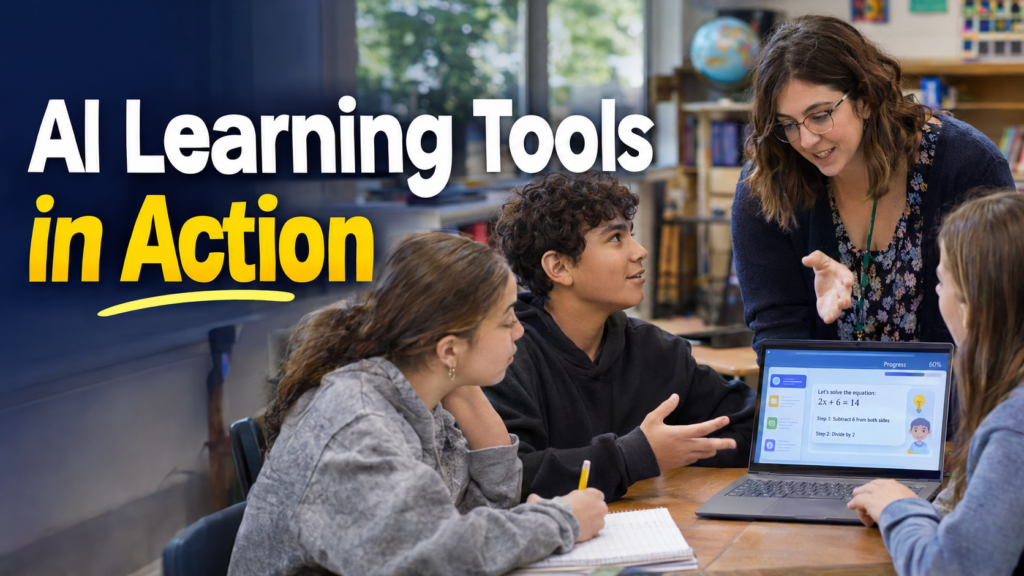
AI Tools Comparison Table
Comparison of 6 Best AI Learning Tools
Compare their key features, learning purposes, free access, and suitability for middle-school students.
| AI Tool | Best For | Main Features | Free Access | Student Access | Main Limitation |
|---|---|---|---|---|---|
| Khanmigo ↗ | Guided academic tutoring | Conversational tutoring, guided explanations, writing feedback. |
Partially free
Core Khan Academy library is free. |
Parent or school-supported access. | Learner subscription and eligibility restrictions. |
| CK-12 Flexi ↗ | Mathematics and science | Step-by-step explanations, personalized assistance, practice and follow-up questions. |
Free
AI tutor and educational resources. |
Parent or teacher involvement for younger students. | Primarily focused on academic subjects. |
| Quizlet ↗ | Revision and flashcards | Digital flashcards, practice tests, study guides and AI study tools. |
Partially free
Some advanced features require payment. |
Restricted child accounts and age-based access. | Memorization may not ensure conceptual understanding. |
| Canva Education ↗ | Presentations and visual projects | Templates, infographics, collaborative editing and AI-assisted design. |
Free for eligible users
Some advanced features have restrictions. |
Teacher-invited educational access. | Not a dedicated academic tutor. |
| MagicSchool & MagicStudent ↗ | Teacher-guided classroom learning | Teacher-created activities, structured AI interactions and educational support. |
Free plan available
Additional features are paid. |
Educator or school-managed access. | Depends on teacher and school participation. |
| Google Teachable Machine ↗ | AI and machine-learning basics | No-code image, sound and pose recognition experiments. |
Free
Browser-based experiment. |
Teacher-guided use recommended. | Not designed for general homework assistance. |
Tutoring Khanmigo
Math & Science CK-12 Flexi
Revision Quizlet
Creative Projects Canva Education
Classroom Learning MagicSchool and MagicStudent
AI Experiments Google Teachable Machine
Important: Free access does not necessarily mean every feature is free. Age requirements and feature availability can also differ between personal and educational accounts.
How We Selected These AI Learning Tools
Selecting educational AI tools for middle school requires more than checking which platforms have the most features.
The following criteria guided the recommendations.
Educational usefulness
Does the tool help students understand concepts, practice skills, or organize their learning?
Grade-level suitability
Can the platform support learning activities relevant to Grades 6–8?
Ease of use
Can students and parents understand the platform without complicated technical knowledge?
Subject coverage
Does it support important middle-school subjects such as math, science, English, and social studies?
Pricing and free access
Are meaningful learning features available without requiring an expensive subscription?
Age eligibility
Does the platform provide an appropriate access route for students under 13 and those aged 13–17?
Privacy and safety
Are there published privacy policies, account requirements, and relevant supervision options?
Learning value
Does the tool encourage students to understand concepts instead of simply copying answers?
These are research-based editorial selection criteria. They should not be interpreted as claims that every tool underwent independent laboratory or hands-on testing.
How Middle School Students Can Use AI Tools
AI tools can support several parts of the learning process when students use them appropriately.
Understanding difficult concepts
Students can request simpler explanations of challenging topics.
For example, a student studying the solar system might ask for an explanation of planetary orbits using an everyday analogy.
Getting guided math explanations
Students can use educational platforms to understand mathematical processes.
Rather than requesting a completed answer, they can ask for hints, explanations, and similar practice questions.
Learning science topics
AI can help explain processes such as photosynthesis, ecosystems, gravity, and the water cycle.
Important scientific information should still be verified against trusted educational resources.
Improving writing
Writing tools can help students identify grammar mistakes, organize ideas, and improve sentence clarity.
Students should retain ownership of their writing and follow their teacher’s AI-use policy.
Reading comprehension
Students can explore vocabulary, discuss the meaning of a passage, and identify important ideas.
Preparing study notes
Some platforms can convert class material into summaries, flashcards, and practice questions.
Students should compare generated notes with the original material to avoid missing important information.
Practical Examples by School Subject
Different subjects require different kinds of learning assistance.
| Subject | Example Learning Activity | Suitable Tool |
|---|---|---|
| Mathematics | Understand fractions, ratios, and introductory algebra. | Khanmigo or CK-12 Flexi |
| Science | Explore ecosystems and the water cycle. | CK-12 Flexi |
| English and Grammar | Practice vocabulary and sentence structure. | Quizlet |
| Reading Comprehension | Review vocabulary and practice questions. | Quizlet |
| History and Social Studies | Organize historical terms and revision material. | Quizlet or Khanmigo |
| Research and School Projects | Create a visual presentation. | Canva Education |
| Computer Science | Explore basic machine learning. | Google Teachable Machine |
Mathematics
A sixth-grade student learning fractions can ask for a visual explanation of equivalent fractions.
A seventh-grade student can practice ratios and proportions.
An eighth-grade student can explore introductory algebra with guided examples.
Science
Students can explore:
• Cell structures.
• Ecosystems.
• Food chains.
• The solar system.
• Forces and motion.
• Weather and climate.
AI-generated explanations should be checked against class notes and textbooks.
English and grammar
Students can practice vocabulary, sentence construction, punctuation, and reading comprehension.
AI should help students improve their own writing rather than produce complete assignments for submission.
Reading and comprehension
Students can use revision materials and practice questions to check their understanding of a reading passage.
History and social studies
Flashcards and study guides can help students review historical events, geographical terminology, and important concepts.
Research and school projects
Students can use visual design tools to present information clearly.
They should verify facts using reliable sources and identify any AI assistance when their teacher requires disclosure.
Free vs. Paid AI Learning Tools
Parents do not necessarily need to purchase multiple AI subscriptions to support middle-school learning.
Several useful educational resources provide free access.
| Tool | Free Availability | Paid Option |
|---|---|---|
| Khan Academy | Free educational library | Khanmigo learner/family subscription |
| CK-12 Flexi | Free | No standard paid Flexi tutoring subscription listed |
| Quizlet | Free features | Quizlet Plus |
| Canva Education | Free for eligible users | Additional Canva plans and features |
| MagicSchool | Free educator options | Additional paid educator plans |
| Teachable Machine | Free experiment | No standard paid subscription |
When is a paid subscription worthwhile?
A paid option may be useful when:
• A family regularly uses a particular tutoring service.
• The additional features address a genuine educational need.
• A school does not already provide equivalent access.
• The parent understands the account and privacy requirements.
When is a paid subscription unnecessary?
A paid subscription may not be necessary when:
• The student only needs occasional explanations.
• Free educational resources already cover the subject.
• The school provides approved learning platforms.
• The student mainly needs flashcards or basic revision activities.
Start with a clearly defined learning need rather than purchasing several subscriptions at once.
Best Alternatives
Some students need specialized learning resources rather than another general-purpose AI assistant.
Here are additional alternatives worth exploring.
Diffit
Best for TeachersAI-powered tools for differentiated reading and classroom resources.
Visit Official Website ↗Diffit is particularly relevant to teachers who want to adapt educational reading materials for different reading levels. It can help educators create more accessible learning resources and support differentiated classroom instruction.
Code.org AI Discoveries
Best for Grades 6–8A structured middle-school curriculum for learning programming, AI, and machine learning.
Visit Official Website ↗Code.org AI Discoveries is designed specifically for students in Grades 6, 7, and 8. It introduces programming, data, machine learning concepts, and AI literacy through structured educational activities.
Google Gemini
Best for Guided LearningAI assistance for explanations, brainstorming, and learning support.
Visit Official Website ↗Google Gemini can support students with explanations, brainstorming, and guided learning. It can help learners understand topics, explore ideas, and work through educational questions.
ChatGPT
Best for Learning SupportAI assistance for explanations, practice questions, and understanding difficult topics.
Visit Official Website ↗ChatGPT can explain academic concepts, create practice questions, and help students understand challenging learning material. It can support learning by breaking complex topics into simpler explanations and examples.
Pros, Cons and Limitations of Educational AI
AI learning tools offer useful educational opportunities, but families should understand their limitations.
Advantages
Additional explanations: Students can explore difficult concepts in different ways.
Flexible practice: Some platforms create questions and revision materials.
Creative learning: Visual tools support presentations and projects.
Independent exploration: Students can investigate topics beyond their immediate classroom questions.
Teacher support: Educators can organize structured learning activities.
Disadvantages and limitations
AI-generated inaccuracies
AI systems can produce incorrect explanations, calculations, and historical information.
Overdependence
Students who rely on generated answers may miss the practice needed to develop their own skills.
Academic integrity
Submitting AI-generated assignments as entirely original work may violate school rules.
Privacy concerns
Some platforms collect account information, uploaded documents, or usage data. Parents should review privacy policies and avoid uploading sensitive personal information.
Subscription limitations
Free plans may restrict advanced features, usage, or access.
Internet and device requirements
Some learning platforms need a stable internet connection, compatible browsers, or school-managed accounts.
A simple rule for responsible AI learning
Try to understand a problem yourself first. Use AI for guidance when necessary, verify the explanation, and then complete a similar exercise independently.
Which AI Learning Tool Should You Choose?
The right choice depends on the student’s grade, subject, and learning environment.
Find the Right AI Learning Tool
Recommended tools based on students’ learning needs and classroom activities.
| Student or Parent Need | Recommended Tool | Why It’s Recommended |
|---|---|---|
| Grade 6 math support | CK-12 Flexi | Guided math explanations |
| Grade 7 science learning | CK-12 Flexi | Science concept assistance |
| Grade 8 revision | Quizlet | Flashcards and practice tests |
| Mathematics tutoring | Khanmigo | Guided academic support |
| Science projects | Canva Education | Visual presentation tools |
| Computer science projects | Teachable Machine | Practical AI experiments |
| Teacher-managed learning | MagicSchool | Structured classroom activities |
| Parent looking for guided tutoring | Khanmigo | Parent-managed learner access |
These are task-based recommendations, not claims that a particular tool is automatically suitable for every student in that grade.
For parents
Before introducing a tool, check:
- Whether the child meets its age requirements.
- Whether a parent-managed account is required.
- What information the platform collects.
- Whether the school permits its use.
- Whether the tool supports a genuine learning objective.
For teachers
Choose platforms that support the lesson rather than simply adding more technology to the classroom.
Students should have a clear activity, a defined learning goal, and appropriate teacher oversight.
Conclusion
The best AI learning tools for middle school students are not necessarily the ones with the most advanced features.
They are the tools that support genuine learning, match the student’s academic needs, and provide appropriate access and supervision.
Khanmigo and CK-12 Flexi are worth considering for guided academic support. Quizlet can help with revision, Canva Education supports creative pro hujects, and MagicSchool provides structured teacher-managed learning activities.
For students interested in understanding artificial intelligence itself, Teachable Machine offers an interactive introduction to machine learning.
Parents and teachers should always check age requirements, privacy policies, and school guidelines before introducing these platforms.
Most importantly, AI should support curiosity, independent thinking, and classroom learning—not replace them.
Frequently Asked Questions
Find answers to common questions about AI learning tools for middle school students.
What are the best AI tools for middle school students?
Khanmigo, CK-12 Flexi, Quizlet, Canva Education, MagicSchool, and Google Teachable Machine are useful options for different educational activities. The best choice depends on the student’s age, subject, and account access.
Are AI learning tools safe for middle school students?
They can be useful when selected carefully and used under appropriate supervision. Parents and teachers should review age restrictions, privacy policies, school approval, and available safeguards.
Which AI tools are free for Grades 6–8?
CK-12 Flexi, Google Teachable Machine, and eligible Canva Education accounts offer free access. Khan Academy’s core learning resources are also free, although Khanmigo’s parent and learner subscription is paid.
Quizlet and MagicSchool offer free options with varying feature limitations.
Can middle school students use ChatGPT?
ChatGPT is not intended for children under 13. Users aged 13–17 need permission from a parent or legal guardian. For educational interactions involving children under 13, an adult must conduct the interaction.
Can AI help students with math and science?
Yes. Educational AI tools can provide explanations, practice questions, and guided assistance with mathematical and scientific concepts. However, students should verify important answers and complete practice independently.
Should parents supervise AI use?
Yes. Parent involvement is particularly important for younger students. Families should discuss appropriate usage, check account settings, and establish clear expectations about privacy and schoolwork.
Can AI tools replace teachers?
No. AI tools can supplement learning, provide additional explanations, and support practice, but they cannot replace the role of teachers in instruction, classroom relationships, feedback, and student development.
Continue Learning
Explore more AI learning guides and resources from IndiaAITools.com.
Best AI Tools for Elementary Students (2026)
Explore AI learning options for younger students and discover useful educational tools for early learning.
Explore Article →Best AI Tools for College Students (2026)
Compare AI resources designed for university-level learning, academic tasks, and student productivity.
Explore Article →How to Use AI Tools to Solve Science Homework Problems
Learn how to use AI for science explanations and guided problem-solving.
Explore Article →