Introduction
College deadlines rarely arrive one at a time.
Many students searching for how to manage assignment deadlines with AI tools are really looking for a practical system, not more complicated productivity advice.
A paper is due Thursday. A lab report is due Friday. A discussion post closes at midnight. Then a group project suddenly moves up two days.
That’s when the stress starts.
Most students do not struggle because they are lazy. They struggle because deadlines often pile up at the same time, priorities blur, and last-minute panic takes over.
If you have been searching for how to manage assignment deadlines with AI tools, you are probably not looking for another list of random apps.
You want a system.
Something practical.
Something you can use this week.
That is what this guide covers.
You will learn how to organize overlapping deadlines, catch up when you fall behind, use free AI tools to prioritize work, and build a realistic weekly workflow that actually fits student life.
Why Students Struggle With Assignment Deadlines
Common reasons students fall behind:
• Assignments live in too many places
• Everything feels urgent
• Large projects are not broken into steps
• Students underestimate time
• One missed task creates a domino effect
A lot of students confuse being busy with making progress.
That is where an AI assignment planner for students can help organize and prioritize.
Free AI Tools That Help Manage Deadlines
| Tool | Best Use | Free Limit | Good For |
| ChatGPT | Prioritizing tasks | Free tier | planning |
| Notion AI | Assignment tracking | limited | Weekly plan |
| Google Calendar | Deadline mapping | Free | time blocking |
| Trello Free | Task boards | Free | Overwpping deadline |
| Todoist Free | Task capture | Free | daily management |
Simple stack:
• Google Calendar for deadlines
• Trello for task stages
• ChatGPT for prioritization
• Notion or Todoist for weekly planning
How to Manage Assignment Deadlines With AI Tools When Deadlines Overlap

Use this 3-part priority method.
Urgency
How soon is it due?
Grade Weight
How much does it affect your grade?
Effort Required
How long will it take?
Score each assignment and do the highest total first.
Example
• Research paper = 15
• Quiz = 8
• Discussion post = 5
Start with the highest score.
5-Minute Setup Guide
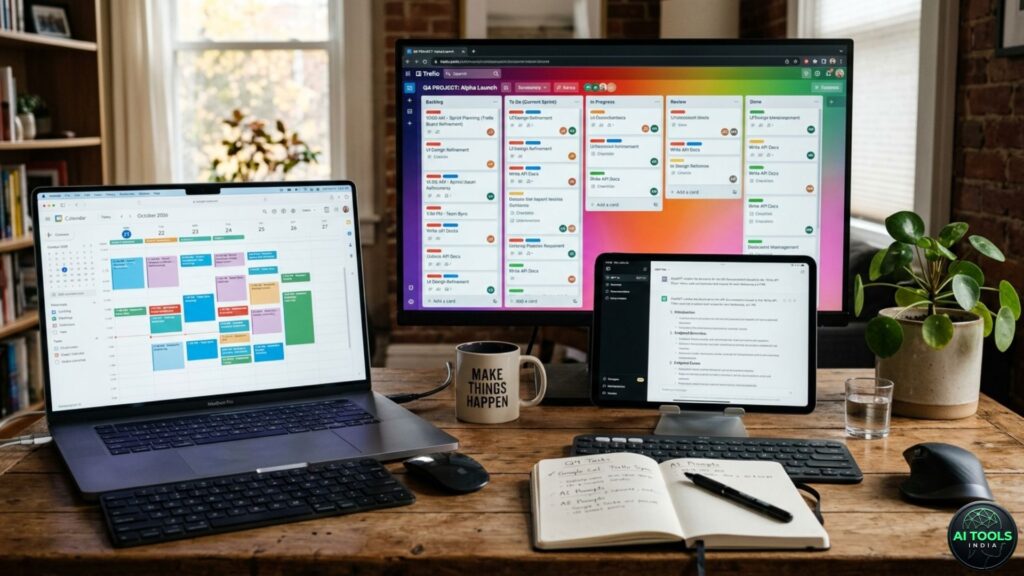
Minute 1 – Add All Deadlines
Put every due date into Google Calendar.
Minute 2 – Group Assignments
Use:
• This week
• Next week
• Large projects
Minute 3 – Use ChatGPT for Priorities
Prompt
“Help me prioritize these assignments based on deadlines, workload, and grade impact.”
Minute 4 – Time Block Study Sessions
Example:
• Monday 4–6 PM paper outline
• Tuesday 2–3 PM homework
Minute 5 – Add a Catch-Up Buffer
Leave one open hour each week.
Copy-Paste ChatGPT Prompts
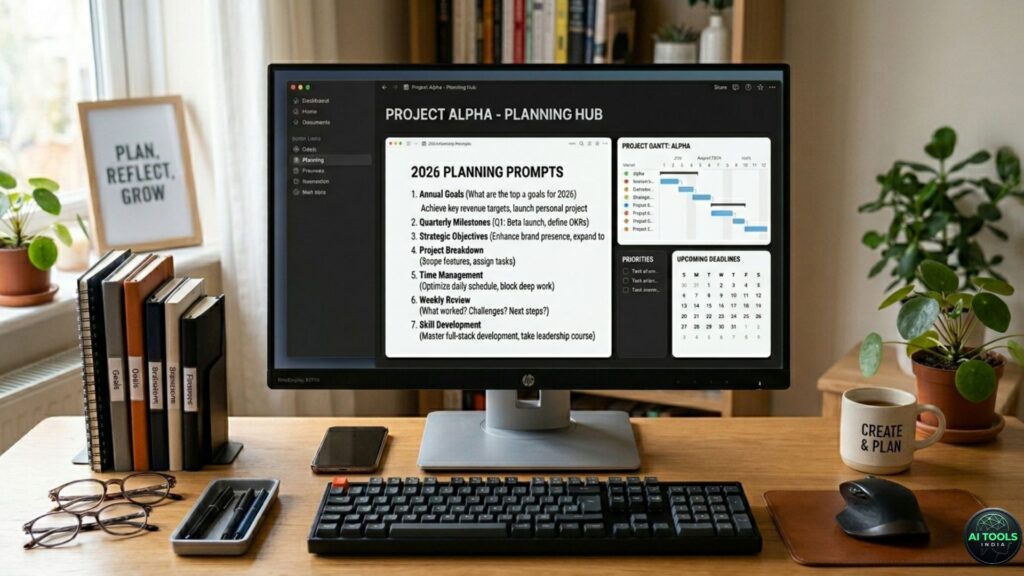
Prompt for Prioritization
“Rank these assignments by urgency, grade weight, and effort.”
Prompt for Weekly Planning
“Build me a realistic weekly schedule around these deadlines.”
Prompt for Overdue Work
“Help me create a 5-day catch-up plan for overdue assignments.”
Prompt for Large Projects
“Break this research paper into daily tasks.”
Prompt for Time Estimates
“Estimate how long these assignments may take and help me build a schedule.”
Weekly Workflow Example for Busy Students
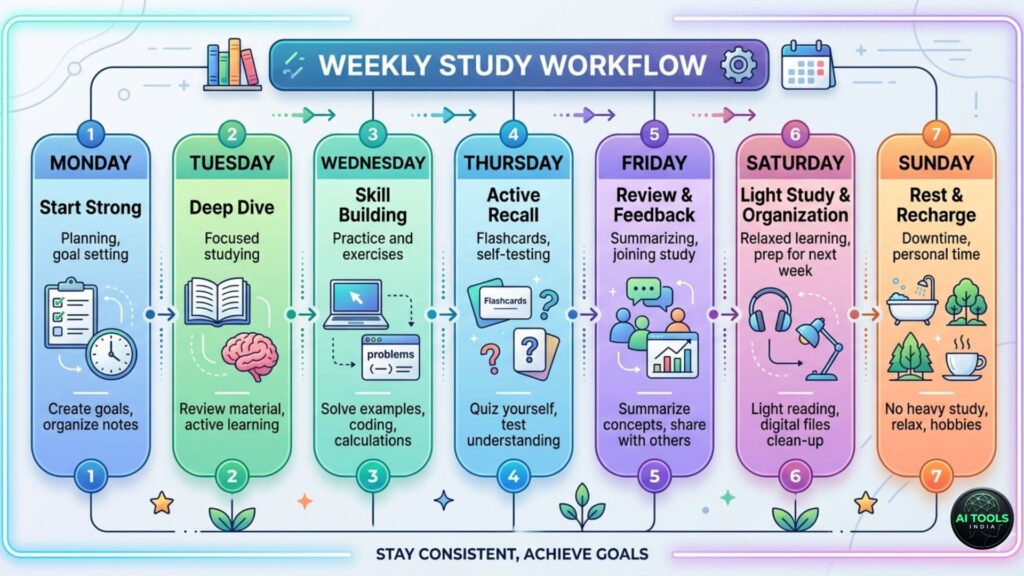
Monday – Map the Week
Review deadlines and set priorities.
Tuesday – Deep Work Block
Focus on one major assignment.
Wednesday – Small Tasks Day
Complete quizzes and discussion posts.
Thursday – Progress Review
Adjust priorities.
Friday – Finish High-Value Work
Push big assignments forward.
Sunday – Reset
Plan next week.
Catch-Up Plan for Overdue Assignments
Step 1 – List Everything
Write down all overdue tasks.
Step 2 – Categorize Them
Use:
• Recoverable now
• Needs professor contact
• Lower priority
Step 3 – Use a 48-Hour Push
Move priority work forward.
Step 4 – Rebuild With AI
Use a recovery prompt.
Step 5 – Contact Instructors Early
Ask sooner, not later.
How to Handle Two Assignment Deadlines Due the Same Day

This happens more often than students expect.
Start With Grade Weight
If one paper is worth 20% and a quiz is worth 5%, the paper usually gets priority.
Estimate Time Honestly
Prompt:
Estimate how long these two assignments may take and help me decide what to start first.
Use the Split-Block Method
• 90 minutes on Assignment A
• 45 minutes on Assignment B
• Return to highest-value task
Students using how to manage assignment deadlines with AI tools often overlook this.
Free Weekly Deadline Template Students Can Copy
Monday Planning Block
Review deadlines.
Tuesday and Wednesday Deep Work
Use these for major assignments.
Thursday Catch-Up Block
Use for:
• unfinished work
• unexpected changes
• instructor revisions
Friday Review Block
Ask:
• What got finished?
• What slipped?
• What moves into next week?
Signs Your Deadline System Is Not Working
Warning signs include:
• Starting assignments the night before
• Forgetting LMS deadlines
• No recovery buffer
• Every week feels reactive
This is where free AI tools for student deadlines can help rebuild structure.
3-Day Emergency Catch-Up Plan Before Finals

Day 1 — Triage Everything
List all unfinished work and rank priorities.
Day 2 — Push Major Progress
Move one major assignment significantly forward.
Day 3 — Clean Up Smaller Work
Use this day for quizzes, edits, and submission checks.
Can AI Help With Group Project Deadlines?
Yes.
AI can help organize:
• milestone schedules
• meeting timelines
• task delegation
Prompt:
Help my group break this project into deadlines for four people over two weeks.
Free-Only AI Workflow for Students on a Budget
Use:
• ChatGPT Free
• Google Calendar
• Trello Free
• Notion Free
Simple is better.
Common Mistakes Students Make

Mistake 1 – Asking Vague Questions
Be specific.
Mistake 2 – Letting AI Make Every Decision
Use AI as support.
Mistake 3 – Over-Scheduling
Leave margin.
Mistake 4 – Ignoring Overlapping Deadlines
Plan them together.
Mistake 5 – Using Too Many Tools
Keep one system.
Who Should Not Rely Only on AI Tools
Do not rely only on AI if you need:
•Human tutoring
• Instructor feedback
• Accountability support
• Disability support services
Benefits of Using AI for Assignment Deadlines
One reason students use how to manage assignment deadlines with AI tools strategies is to reduce missed deadlines while staying organized.
Using free AI tools for student deadlines can help you:
• Reduce missed assignments
• Prioritize faster
• Recover from setbacks
• Lower stress
• Build a repeatable system
FAQ
Are free AI tools enough for managing deadlines?
Yes, often they are.
What is the best AI assignment planner for students?
ChatGPT plus Notion or Trello works well.
Can AI help when deadlines collide?
Yes, with prioritization.
What if I already missed assignments?
Use a catch-up plan and contact professors early.
Should students rely only on AI?
No. Use human support when needed.
Can AI help with group project deadlines?
Yes, especially for milestone planning.
Conclusion
Learning how to manage assignment deadlines with AI tools is really about building a system.
Use AI to prioritize.
Use free tools to stay organized.
Use weekly planning to reduce chaos.
Students who stay on top of deadlines usually do not have less work.
They have better systems.
Build one and use it.
If you want a repeatable system, learning how to manage assignment deadlines with AI tools can help you stay ahead instead of reacting at the last minute.
If managing deadlines is only part of the challenge, you may also find our guide on how to manage time with AI apps for college students helpful for building a smarter
Pingback: How to Use AI Tools to Finish Homework Faster Without Cheating 2026
Pingback: AI tools to help students write better homework assignments in 2026