Quick Answer
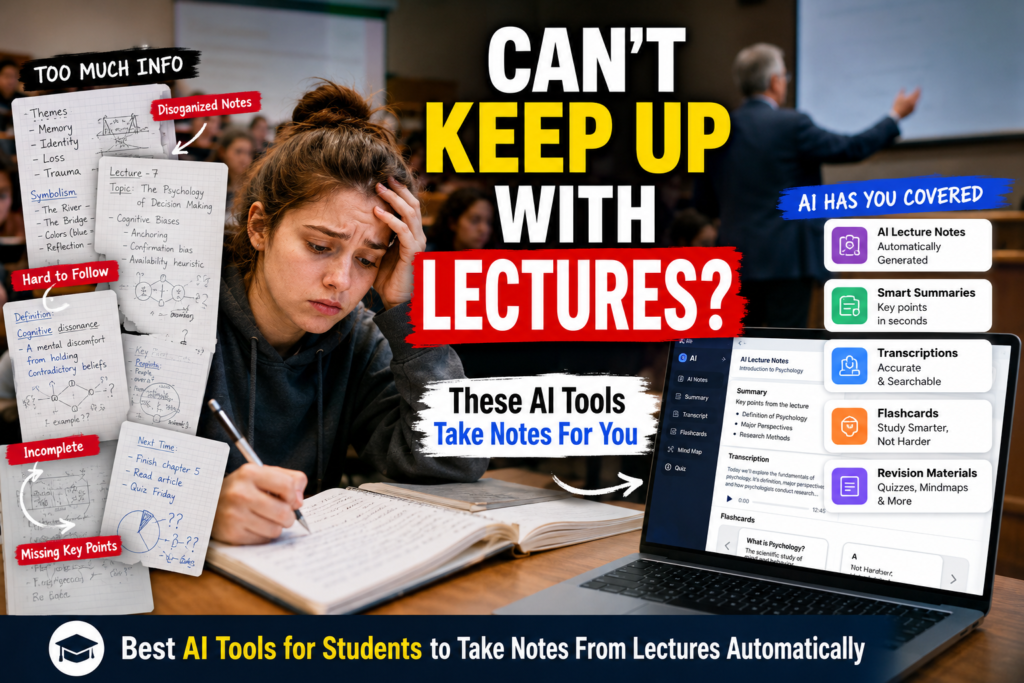
Students often miss important information during lectures because teachers speak quickly, slides change fast, and multitasking becomes unavoidable. The best AI tools for students to take notes from lectures automatically include Otter AI, NotebookLM, ChatGPT, Notion AI, Google Gemini, Notta AI, and Fireflies AI. These tools can record lectures, create transcripts, organize notes, generate summaries, and turn lectures into revision materials that are much easier to study later.
Introduction
Picture this.
You walk into a biology lecture planning to take perfect notes.
Twenty minutes later, the professor is already on the third topic.
You are still trying to finish writing something from the first slide.
A few minutes later, you stop taking notes completely because you cannot keep up.
Many students experience this every week.
Some miss definitions.
Some miss examples.
Others end up with half-completed notes that make no sense when exam season arrives.
The problem is not always laziness or lack of effort.
Sometimes lectures simply move faster than students can process information.
This is why many students are now looking for the best AI tools for students to take notes from lectures automatically.
These tools do not replace learning.
Instead, they help capture information so students can focus on understanding what is being taught rather than worrying about writing every word.
That is why many students now rely on the Best AI Tools for Students to Take Notes From Lectures Automatically to capture important information without falling behind.
Why Students Miss Important Information During Lectures
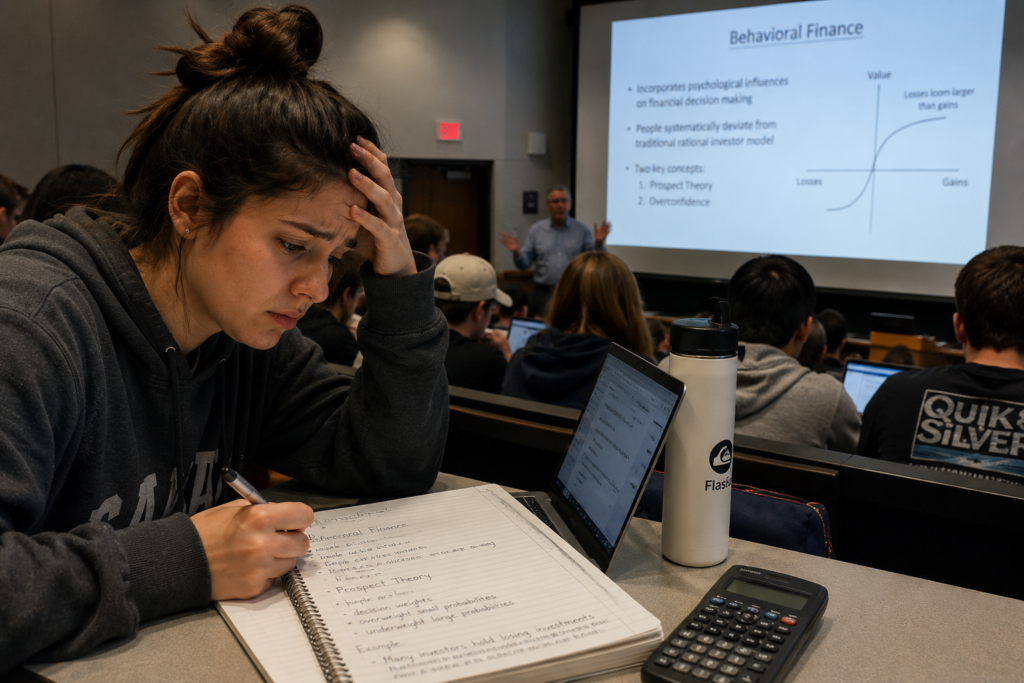
Most students underestimate how difficult lecture note-taking really is.
During a single lecture, students are often trying to:
• Listen carefully
• Understand concepts
• Write notes
• Read slides
• Ask questions
• Stay focused
Trying to do all of these at once creates information overload.
That is why many students leave class feeling like they attended the lecture but still missed important details.
Who This Guide Is For
This guide is designed for:
• High school students
• College students
• University students
• Online learners
• Students who type slowly
• Students who struggle with note-taking
• Students who miss information during lectures
• Students preparing for exams
• Students with learning and organization challenges
If you have ever looked at your notes after class and wondered what half of them mean, this guide is for you.
These situations are exactly why the Best AI Tools for Students to Take Notes From Lectures Automatically have become popular among students at every academic level.
Common Lecture Note-Taking Problems Students Face
Fast-Speaking Teachers
Some instructors move through material quickly.
Students often have to choose between listening and writing.
As a result, notes become incomplete.
Online Classes
Online learning creates new distractions.
Students switch between tabs, check notifications, and sometimes lose focus for several minutes.
Important information can disappear quickly.
Missing Key Points
Many students write too much information and accidentally miss the most important ideas.
Others focus on slides while missing verbal explanations.
Multitasking During Lectures
Students often:
• Open multiple tabs
• Respond to messages
• Check assignment deadlines
• Search unfamiliar terms
Each interruption creates gaps in notes.
Incomplete Notes
One of the biggest problems occurs when students start strong but fall behind halfway through a lecture.
The result is a notebook filled with incomplete thoughts and missing context.
How AI Lecture Note-Taking Tools Work
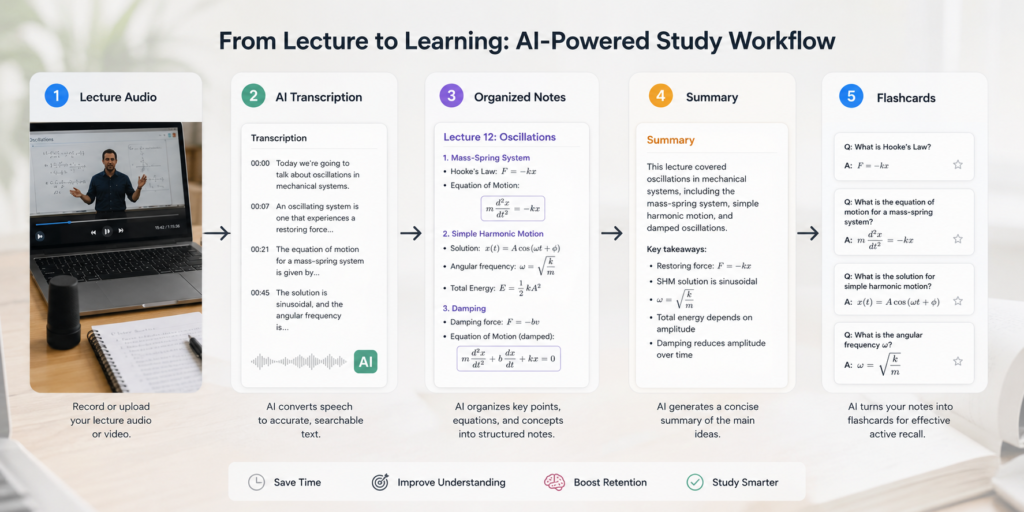
Most AI note-taking systems follow a simple process.
Step 1: Lecture Audio
The tool captures lecture audio through a phone, laptop, or recording device.
Step 2: Transcription
AI converts speech into text.
This creates a complete transcript of the lecture.
Most of the Best AI Tools for Students to Take Notes From Lectures Automatically use this transcription process as the foundation for building organized study materials.
Step 3: Organized Notes
The transcript is automatically structured into sections, topics, and key points.
Step 4: Summary
AI creates shorter summaries that highlight the most important information.
Step 5: Revision Materials
Students can generate:
• Study guides
• Flashcards
• Practice questions
• Topic summaries
• Exam review sheets
This is why AI lecture notes have become so popular among students preparing for exams.
Benefits of Automatic Lecture Notes for Students
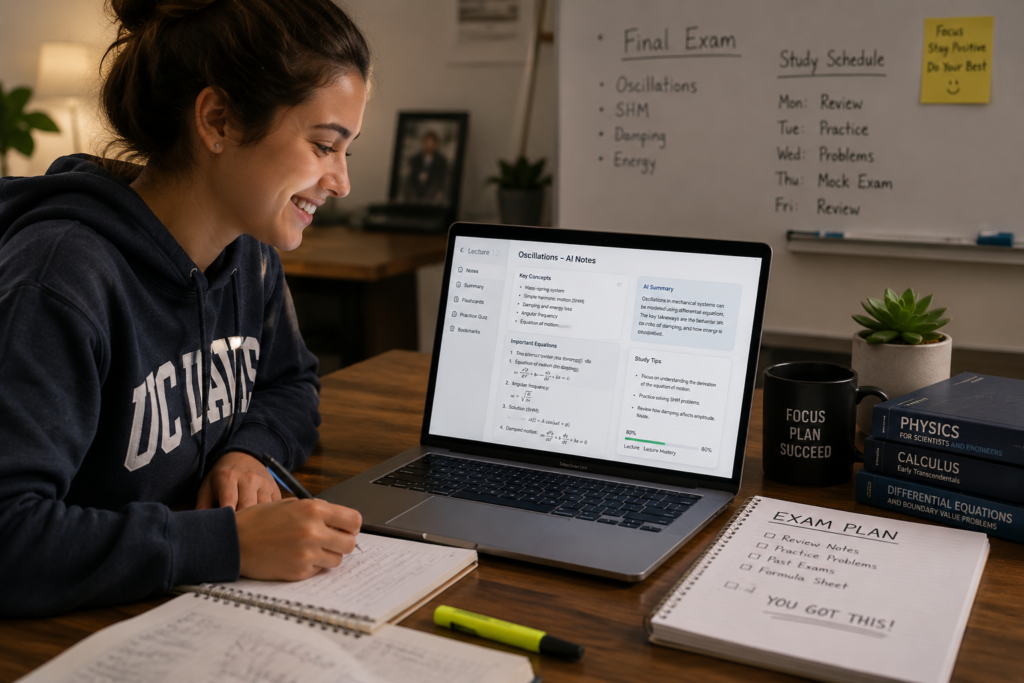
Saves Time
Students spend less time rewriting notes after class.
Improves Revision
Well-organized notes are easier to review before exams.
Reduces Stress
Knowing the lecture has been recorded reduces anxiety about missing information.
Better Organization
AI note-taking tools for students can organize material by topic automatically.
Helps Students Who Type Slowly
Students no longer need to race against the instructor’s speaking speed.
They can focus on understanding instead.
The Best AI Tools for Students to Take Notes From Lectures Automatically help students spend more time understanding lectures and less time worrying about missing information.
Step-by-Step Workflow for Taking Notes From Lectures Using AI
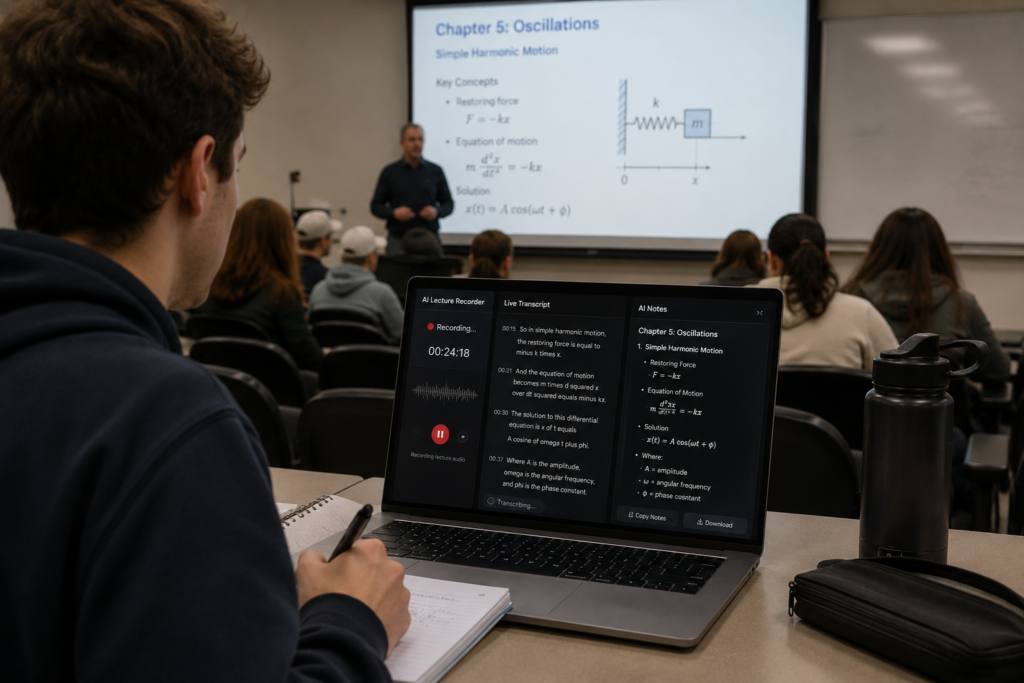
Step 1: Record or Capture the Lecture
Use an AI lecture transcription tool to record audio during class.
Always follow your school’s recording policies.
Step 2: Generate a Transcript
Allow the AI tool to convert speech into text.
This creates a complete lecture record.
Step 3: Organize Notes
Group information into:
• Main topics
• Definitions
• Examples
• Important concepts
Step 4: Create Summaries
Use AI lecture summary tools to shorten lengthy transcripts into manageable study material.
Step 5: Build Revision Materials
Convert lecture notes into:
• Flashcards
• Study guides
• Practice questions
• Exam summaries
This transforms a one-hour lecture into a focused revision resource.
Students who struggle with organizing lecture notes after class may also benefit from our guide on Best AI Tools for Students With Messy Class Notes.
Best AI Tools for Recording Live Lectures
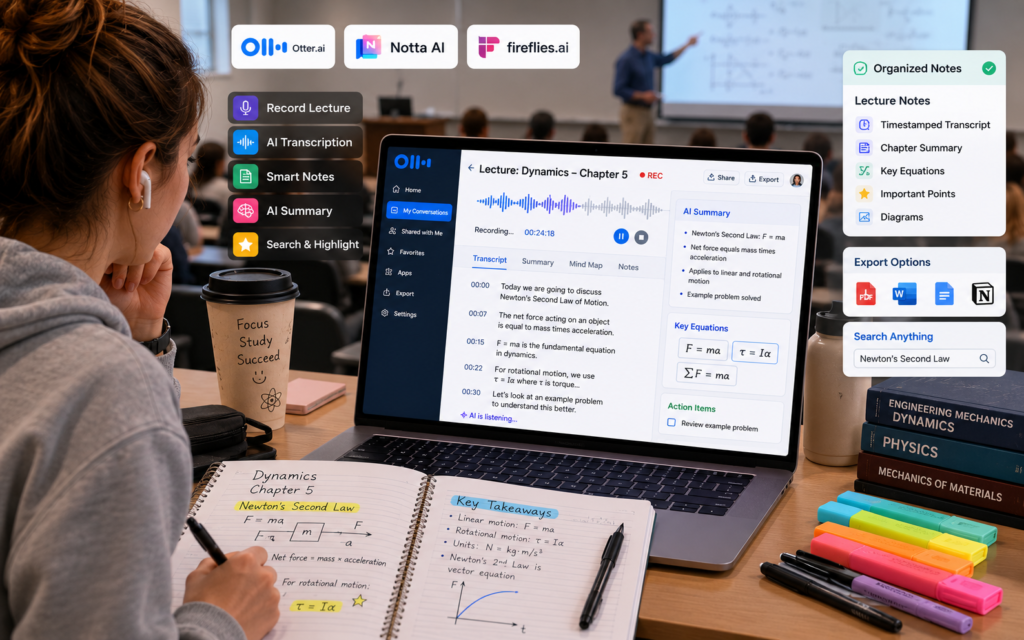
One challenge many students face is deciding which tools work best during live classes.
When recording lectures, students generally need:
• Reliable transcription
• Good audio recognition
• Easy note organization
• Fast summaries
Tools such as Otter AI, Notta AI, and Fireflies AI specialize in live lecture capture and automatic transcription.
Unlike traditional note-taking apps, these lecture transcription tools can capture nearly everything that is said in class.
What to Do If Your School Does Not Allow Lecture Recording
Not every school allows students to record lectures.
Never secretly record an instructor or classmates. If your school or instructor requires permission, get that permission before recording.
In that situation:
• Ask instructors for permission
• Use AI for note organization instead of recording
• Upload class slides to NotebookLM
• Use ChatGPT to organize handwritten notes
• Create summaries from existing class materials
Students should always respect school policies and instructor preferences.
AI can still be useful even without recording lectures.
How Students Can Turn a 60-Minute Lecture Into 10 Minutes of Revision
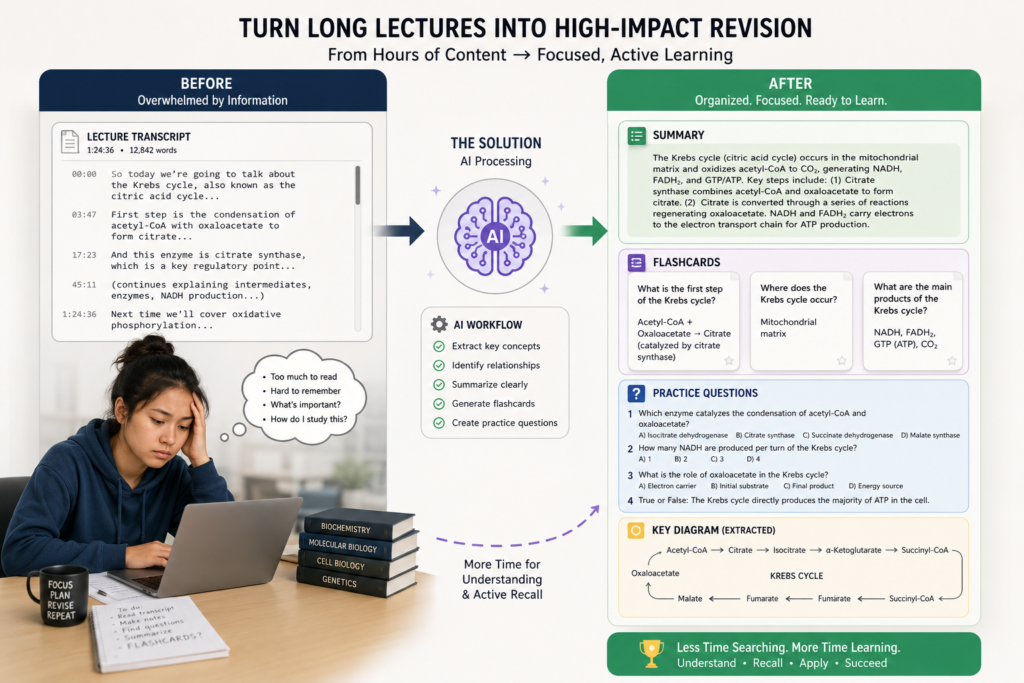
One of the biggest advantages of AI study tools is compression.
A typical workflow looks like this:
60-minute lecture
↓
Full transcript
↓
Topic summary
↓
Flashcards
↓
Practice questions
↓
10-minute revision sheet
Instead of rereading dozens of pages before exams, students review only the most important concepts.
This is often where the real value of automatic note-taking appears.
How We Selected These AI Tools
The AI lecture-note tools in this guide are evaluated based on how useful they are for the complete student workflow—not simply whether they can turn speech into text.
We consider:
• Live lecture transcription capabilities
• Transcription quality and common accuracy limitations
• AI-generated summaries
• Organization and searchability of notes
• How useful the output is for revision
• Support for live lectures, uploaded recordings, or both
• Ease of use for students
• Free plans or meaningful free options
• Overall usefulness across different lecture formats
We also consider an important limitation: no transcription or summarization system should be treated as a perfect record of a lecture. Audio quality, background noise, overlapping speakers, accents, and specialized terminology can affect the output.
The goal is therefore not to identify one universal winner. Instead, the article recommends tools according to the student’s actual situation—for example, recording a live class, organizing uploaded lecture materials, creating summaries, or preparing for exams.
Best AI Tools for Students to Take Notes From Lectures Automatically
The following list covers the Best AI Tools for Students to Take Notes From Lectures Automatically based on different learning styles and classroom situations.
🎙️ Otter.ai
AI-powered lecture transcription and note capture for students who want to spend less time typing during class.
🎯 Best Use Case
Live lecture transcription and searchable lecture notes.
🎓 Lecture Support
Otter is suitable for real-time transcription and lecture-focused note capture. Its education-focused resources also describe real-time transcription for online and in-person classes.
💪 Strengths
- Real-time transcription
- Searchable transcripts and notes
- Useful for lecture capture
- Education-focused workflows
- Student and teacher pricing options
⚠️ Limitations
- Transcription quality depends on recording conditions
- Free access has usage limits
- Students should verify important terminology and explanations
💳 Free or Paid
Otter offers free access with usage limits, while paid plans provide higher limits and additional features. Otter also advertises student and teacher discounts for eligible .edu users.
🌐 Official Website
Visit Otter.ai →🎓 Best For
Students who need dedicated lecture transcription and want to spend less time typing during class.
💡 Smart Student Tip
Use Otter to capture the lecture, then review the transcript afterward and turn important concepts into organized notes, summaries, or practice questions. Always compare important scientific terminology with your class materials.
📚 NotebookLM
An AI-powered study research assistant that turns your existing class materials into organized, source-grounded learning resources.
🎯 Best Use Case
Turning existing lecture recordings, slides, PDFs, and other class materials into organized study resources.
📖 How It Helps Students
NotebookLM is particularly useful after the lecture. Students can provide their own learning materials and use them to create more organized study resources.
💪 Strengths
- Source-grounded answers
- Strong organization of class materials
- Study guides and summaries
- Supports audio and document sources
- Useful for exam revision
- Inline citations help students trace information back to sources
⚠️ Limitations
- Not primarily a live lecture recording app
- Students need to provide source material
- AI-generated outputs can still contain errors
- Important information should still be checked against original course materials
✨ Study Resources You Can Create
💳 Free or Paid
NotebookLM is available to users in supported countries, with plan and usage limits that can vary depending on the current offering and account.
🌐 Official Website
Visit NotebookLM →🎓 Best For
Students who already have lecture recordings, slides, PDFs, or class notes and want to turn them into organized revision material.
💡 Smart Student Tip
Use NotebookLM after class to bring your lecture materials together, ask questions about the provided sources, and create revision resources. Because its answers are grounded in the materials you provide, it works especially well when you want to study from your own course content.
🤖 ChatGPT
A flexible AI study assistant for turning lecture transcripts and notes into summaries, explanations, flashcards, questions, and revision plans.
🎯 Best Use Case
Turning existing lecture transcripts or notes into summaries, explanations, flashcards, practice questions, and revision plans.
🎙️ Audio & Record Support
ChatGPT can also work with audio in specific ways. Its dedicated Record mode can transcribe and summarize recordings. OpenAI currently states that Record is available to eligible Plus, Pro, Business, Enterprise, and Edu workspaces and is currently limited to the macOS desktop app.
💪 Strengths
- Flexible study support
- Strong summarization and explanation
- Useful for turning transcripts into revision materials
- Can generate practice questions and flashcards
- Helpful for follow-up questions and clarification
⚠️ Limitations
- Dedicated Record mode is not universally available
- Transcriptions can contain mistakes
- Availability and usage limits depend on account or workspace
- Important lecture information should be checked against the original material
📚 What Students Can Create
💳 Free or Paid
ChatGPT offers both free and paid access. Specific recording capabilities, usage limits, and other advanced features depend on the user’s plan and workspace eligibility.
🌐 Official Website
Visit ChatGPT →🎓 Best For
Students who already have lecture notes or transcripts and want to transform them into organized study resources, explanations, practice questions, flashcards, and revision plans.
💡 Smart Student Tip
Give ChatGPT your lecture material and ask it to create a concise summary first, then turn the important concepts into flashcards and practice questions. Review the original lecture material whenever accuracy matters.
✨ Google Gemini
A flexible AI assistant for summarizing, analyzing, and understanding uploaded lecture materials and course files.
🎯 Best Use Case
Summarizing and analyzing uploaded lecture materials, course documents, images, videos, and other supported files.
📂 What Students Can Upload
Gemini can work with different types of uploaded material to help students summarize information and identify useful insights.
🎧 Audio Overviews
Google also documents Audio Overviews for supported uploaded materials. Availability can depend on factors such as account eligibility and age.
💪 Strengths
- Useful for uploaded lecture materials
- Strong summaries and explanations
- Works with multiple supported file types
- Helpful for reviewing course materials
- Can support different study workflows using uploaded content
⚠️ Limitations
- Upload and usage limits can vary
- Should not be assumed to be a dedicated live lecture recorder
- Large files may require additional care for the best results
- Important academic information should still be checked
🧠 Simple Student Workflow
Upload lecture material
Ask for a summary
Ask follow-up questions
Review and verify
💳 Free or Paid
Free access is available, while higher limits and additional capabilities are available through Google’s paid AI plans. Specific limits and features can change by plan and account.
🌐 Official Website
Visit Google Gemini →🎓 Best For
Students who already use Google services and want AI assistance for analyzing lecture materials, summarizing course files, and reviewing class content.
💡 Smart Student Tip
Upload your lecture material first, then ask Gemini to create a concise summary, identify the most important concepts, and generate practice questions. For large files, work with focused sections when necessary and verify important information against your original course materials.
🗂️ Notion AI
An AI-powered workspace for organizing course notes, academic information, tasks, and semester-long study materials in one connected system.
🎯 Best Use Case
Long-term organization of course notes, academic information, tasks, and learning materials across multiple courses.
🎙️ AI Meeting Notes & Transcription
Notion’s current AI meeting-notes functionality can transcribe system audio and microphone input and connect notes with the wider Notion workspace. However, students should distinguish this from a dedicated education-focused lecture recorder.
🧠 Build a Semester Knowledge System
💪 Strengths
- Strong organization
- Course and workspace management
- Notes can connect with tasks and other academic material
- Useful for maintaining a semester-long knowledge system
- Flexible structure for different courses and workflows
⚠️ Limitations
- More setup may be required than with a dedicated transcription tool
- Advanced AI features depend on plan and availability
- Not every student needs its full workspace functionality
- Dedicated lecture transcription may be better handled by specialized tools
💳 Free or Paid
Free access is available, while AI capabilities, usage limits, and advanced features depend on the current Notion plan and availability.
🌐 Official Website
Visit Notion →🎓 Best For
Students managing notes across several courses who want organization and a connected academic workspace as much as transcription.
💡 Smart Student Tip
Use Notion AI when your biggest challenge is keeping multiple courses, notes, assignments, and deadlines organized. If you mainly need live lecture transcription, a dedicated transcription tool may be a better fit.
🎙️ Notta AI
An AI transcription tool for converting live lectures and uploaded recordings into searchable transcripts and organized study notes.
🎯 Best Use Case
Live transcription and uploaded lecture recordings.
⚡ Core Transcription Features
💪 Strengths
- Live transcription
- File transcription
- Speaker identification
- Searchable transcripts
- AI-generated summaries
- Student and educator discount available
⚠️ Limitations
- Free recording length is restrictive
- Higher-volume lecture use may require a paid plan
- Accuracy depends on audio quality and terminology
- Important academic information should still be verified
💳 Free Plan Snapshot
Notta’s current free plan provides 120 transcription minutes per month, but individual recordings are limited to 3 minutes on the free tier. Paid plans provide substantially higher limits.
🌐 Official Website
Visit Notta AI →🎓 Best For
Students who need regular lecture transcription and are comfortable working within the limits of their chosen Notta plan.
💡 Smart Student Tip
Use Notta to capture lectures or process recordings, then turn the transcript into concise notes, summaries, and revision questions. For important scientific terminology, always compare the transcript with your original lecture materials.
🔥 Fireflies AI
An AI transcription and meeting-notes platform that can help students turn online classes and recorded sessions into searchable study material.
🎯 Best Use Case
Online lectures and recorded conversations where transcription and searchable notes are useful.
⚡ Core Features
💪 Strengths
- Transcription
- Searchable records
- AI-generated summaries
- Useful for online meetings and classes
- Free tier available
⚠️ Limitations
- Core positioning is broader meeting productivity rather than education-specific note-taking
- Students should check whether their intended class-capture workflow fits the platform
- Free and paid limits vary
- Important lecture information should still be verified
🎓 Simple Student Workflow
Attend or record the online session
Create a searchable transcript
Review the AI summary
Turn key points into study notes
💳 Free or Paid
Fireflies AI currently offers a free tier, while paid plans add higher limits and additional capabilities. Exact limits and features can vary by plan.
🌐 Official Website
Visit Fireflies AI →🎓 Best For
Students taking online classes or working with recorded sessions where searchable transcripts and AI-generated summaries are useful.
💡 Smart Student Tip
Before relying on Fireflies for a class, check that your lecture format and recording workflow are supported. After transcription, review the summary and compare important academic information with your original lecture materials.
📊 Detailed Comparison Table
Compare the leading AI lecture and note-taking tools by recording support, transcription, summaries, organization, revision features, and free access.
| 🛠️ Tool | 🎙️ Live Recording | 📝 Transcription | ✨ AI Summaries | 🗂️ Note Organization | 🎯 Revision Help | 🎓 Best For | 💳 Free Option |
|---|---|---|---|---|---|---|---|
| 🎙️ Otter AI | Yes | Strong focus | Yes | Good | Good | Live lectures | Yes |
| 📚 NotebookLM | No dedicated live lecture recorder | Works with uploaded audio | Yes | Excellent | Excellent | Lecture materials & revision | Yes / availability varies |
| 🤖 ChatGPT | Limited/account-dependent Record feature | Yes for supported features | Yes | Good | Excellent | Turning transcripts into study resources | Yes |
| 🗂️ Notion AI | Audio/meeting-note features | Yes, depending on feature/plan | Yes | Excellent | Good | Course organization | Yes / plan-dependent |
| ✨ Google Gemini | Not primarily a lecture recorder | Uploaded audio/material support | Yes | Good | Good | Uploaded lecture materials | Yes |
| 🎧 Notta AI | Yes | Yes | Yes | Good | Good | Regular transcription | Yes |
| 🔥 Fireflies AI | Online capture workflows | Yes | Yes | Good | Good | Online classes / recorded sessions | Yes |
⚡ Quick Takeaway
Choose Otter AI or Notta AI when live transcription is the priority, NotebookLM when you already have lecture materials and want deep revision support, ChatGPT when you want to transform transcripts into study resources, and Notion AI when long-term course organization matters most.
Real Student Example
Scenario 1 — Fast-Paced Biology Lecture
Sophia attends a 60-minute biology lecture.
The professor moves through slides quickly and uses complex terminology.
Instead of trying to write every detail, Sophia records the lecture using Otter AI.
After class:
• Transcript generated automatically
• ChatGPT creates summaries
• Quiz questions generated
Instead of reviewing 12 pages of notes, Sophia studies a two-page summary.
These examples show how the Best AI Tools for Students to Take Notes From Lectures Automatically can improve note-taking and exam preparation.
Scenario 2 — Online Class Student
Michael attends classes remotely.
He often switches between slides, assignments, and discussion boards.
Important details get missed.
Using Fireflies AI, he captures lectures automatically.
Afterward, he reviews transcripts and creates organized study notes.
His revision sessions become significantly shorter.
Scenario 3 — Exam Preparation Week
Emma has five courses and dozens of lecture recordings.
She uploads lecture materials into NotebookLM.
NotebookLM creates summaries.
ChatGPT converts those summaries into:
• Flashcards
• Practice questions
• Revision sheets
Exam preparation becomes far more manageable.
Best AI Tool Based on Student Situation
For Online Classes
Best Choice:
• Fireflies AI
• Otter AI
For Large University Lectures
Best Choice:
• Otter AI
• Notta AI
For Revision-Focused Students
Best Choice:
• NotebookLM
• ChatGPT
For Students With Poor Note-Taking Skills
Best Choice:
• Otter AI
• NotebookLM
For Students Managing Multiple Courses
Best Choice:
• Notion AI
• NotebookLM
Choosing the Best AI Tools for Students to Take Notes From Lectures Automatically depends largely on how you attend classes and review information later.
Common Mistakes Students Make With AI Note-Taking Tools
Recording Without Permission
Always follow school policies.
Never Reviewing Notes
Recording lectures is not the same as studying.
Trusting AI Completely
Students should verify important concepts.
Collecting Information Without Organizing It
Large transcripts become overwhelming if not summarized.
Waiting Until Exam Week
Lecture notes are most useful when reviewed regularly.
How to Use AI Ethically During Lectures
Students should use AI to support learning, not replace it.
Good practices include:
• Following school policies
• Respecting instructor preferences
• Reviewing notes personally
• Understanding concepts before exams
• Using AI for organization and revision
Ethical AI use helps students learn more effectively while maintaining academic integrity.
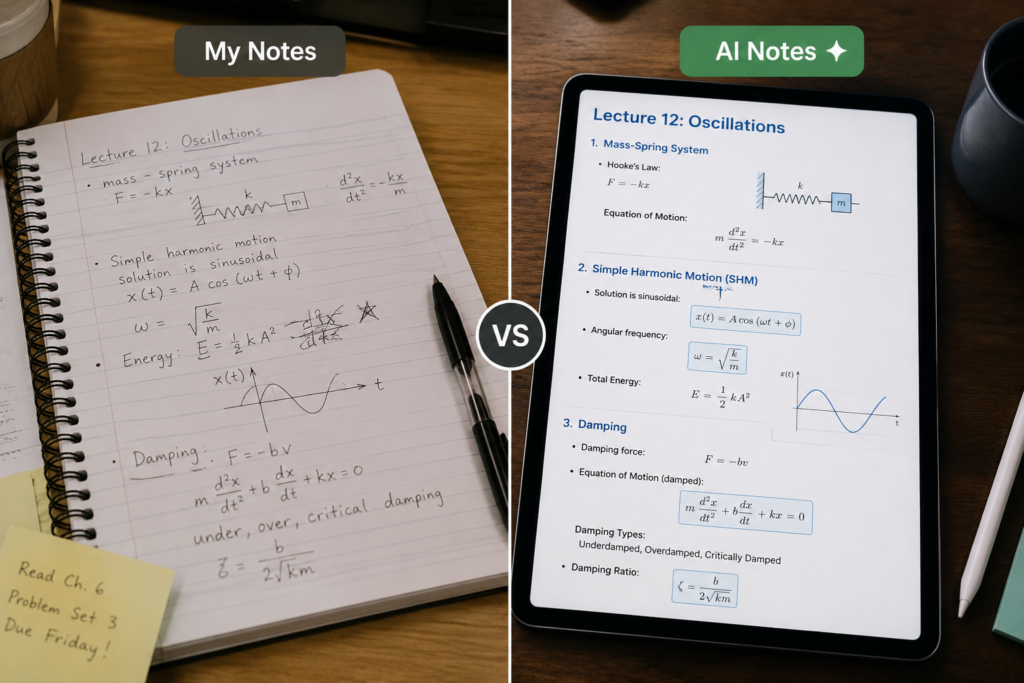
Lecture Notes vs AI-Generated Notes
📝 Lecture Notes vs AI-Generated Notes
See how traditional lecture note-taking compares with AI-assisted notes when it comes to completeness, organization, review speed, and summarization.
| 📌 Feature | ✍️ Traditional Lecture Notes | 🤖 AI-Generated Notes |
|---|---|---|
| 📚 Completeness | Often incomplete | More comprehensive |
| 🗂️ Organization | Difficult to organize | Automatically structured |
| ⏱️ Review Time | Time-consuming | Faster review |
| 🔎 Information Capture | Easy to miss information | Captures more details |
| ✨ Summarization | Requires manual summaries | Automatic summaries available |
💡 Smart Approach
AI-generated notes can make review faster and more organized, but students should still compare important information with the original lecture, textbook, or class materials. AI should support note-taking—not replace active learning.
The best approach is usually combining both methods.
Students should add personal observations to AI-generated notes.
Best ChatGPT Prompts for Organizing Lecture Notes
- Organize this lecture transcript into clear topics.
- Create a concise study guide from these lecture notes.
- Summarize this 60-minute lecture in one page.
- Generate flashcards from these lecture notes.
- Create multiple-choice questions from this lecture.
- Identify the most important exam concepts.
- Explain difficult sections in simpler language.
- Turn these lecture notes into a revision checklist.
- Find missing concepts that students should know.
- Create a 10-minute exam review sheet from these notes.
Students using lecture notes for writing assignments may also find our guide on How to Use ChatGPT to Outline an Essay Without Sounding AI-Generated useful for turning lecture concepts into structured essays.
Conclusion
This is one reason why the Best AI Tools for Students to Take Notes From Lectures Automatically are becoming valuable study companions for modern students.
Taking notes during lectures has always been one of the biggest challenges students face.
Teachers move quickly.
Important information gets missed.
Notes become incomplete.
AI note-taking tools for students help solve these problems by capturing lectures, creating transcripts, organizing information, and generating revision materials automatically.
The best tool depends on your situation.
Some students need reliable lecture transcription tools.
Others need powerful lecture summary tools.
Many need both.
The most effective approach is simple:
Capture the lecture.
Organize the information.
Create revision materials.
Review consistently.
Students who follow this process often spend less time searching for information and more time actually learning it.
If understanding lectures is not the biggest challenge but expressing ideas clearly in assignments is, our guide on Best AI Tools to Improve Weak English Writing for Students can help strengthen grammar, sentence structure, and writing confidence.
A great lecture is only useful if you can remember it later. AI can help make sure you do.
Continue Learning
Finished with lecture notes? Keep building your AI-powered study system with these practical student guides.
AI Tools for Reading PDFs for Students
Turn textbooks, research papers, and lecture PDFs into easier study material.
AI Tools for Group Project Collaboration for Students
Organize team assignments, shared tasks, meetings, and project deadlines.
Best AI Note-Taking Apps for College Students
Build a smarter system for capturing, organizing, and reviewing your notes.
Best AI Tools for Academic Research for Students
Research smarter, organize information, and work through academic sources efficiently.
Best AI Tools for Literature Review for Students
Make large collections of research papers easier to understand and organize.
❓ Frequently Asked Questions
Tap any question to reveal the answer.
🎙️ Can AI take notes during live lectures?
Yes. Tools such as Otter AI and Notta AI can transcribe lectures in real time, helping students capture information without manually typing everything.
📚 What is the best AI tool for lecture notes?
It depends on the situation. Otter AI is excellent for recording and transcription, while NotebookLM is especially useful for organizing existing lecture materials and creating revision resources.
✨ Can AI create summaries from lectures?
Yes. Many AI lecture and note-taking tools can transform transcripts or uploaded lecture materials into concise summaries and organized study notes.
💳 Are AI note-taking tools free?
Many AI note-taking tools offer free plans or limited free access, although advanced features, higher transcription limits, and additional capabilities often require a paid plan.
💻 Can AI help with online classes?
Yes. Depending on the tool and supported workflow, AI can help record or process online lectures, create transcripts, summarize discussions, and organize information for later review.
🧠 Can AI turn lectures into flashcards?
Yes. Students can use ChatGPT and other AI study tools to transform lecture transcripts or notes into flashcards, practice questions, and revision prompts.
📖 Do AI lecture notes replace studying?
No. AI can help organize and summarize information, but students still need to review the material, understand the concepts, and actively practice what they have learned.
🚀 Why are the Best AI Tools for Students to Take Notes From Lectures Automatically becoming more popular?
Because they help students capture lectures, organize information faster, and create revision materials without spending hours rewriting notes. Used responsibly, these tools can reduce repetitive note-taking work and give students more time to focus on understanding the material.
💡 Quick Reminder
AI-generated transcripts and summaries can contain mistakes. Always review important lecture information against your original class materials, textbook, or instructor-provided resources.
Pingback: How to Use AI Tools to Turn Textbook Pages Into Short Study Notes (2026 Student Guide)
Thank you sir