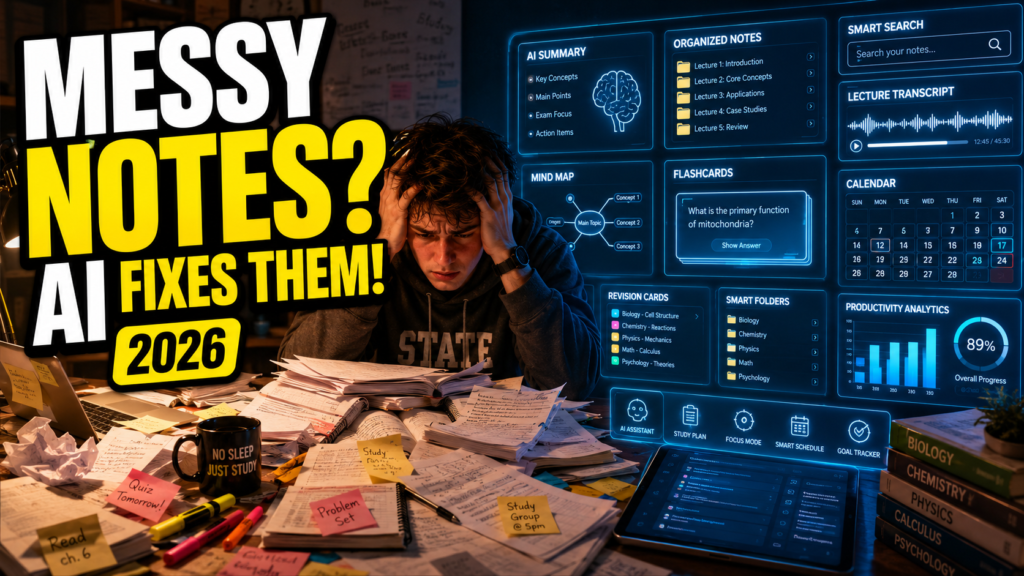
Quick Answer
The Best AI Note-Taking Apps for College Students combine AI-powered organization, lecture transcription, smart search, note summarization, and study assistance. NotebookLM is excellent for research-heavy coursework, Notion AI is ideal for semester organization, and Otter.ai excels at recording lectures. Many students achieve the best results by combining multiple AI tools into a single study workflow rather than relying on just one app.
These recommendations make it easier to find the Best AI Note-Taking Apps for College Students without wasting time testing dozens of apps.
Introduction
College students today take more notes than ever before.
A single semester can include dozens of lectures, hundreds of pages of reading, multiple group discussions, research papers, and exam preparation sessions. While taking notes has always been an essential part of learning, managing those notes has become increasingly difficult.
Many students start the semester with good intentions.
They create neatly organized notebooks, color-code subjects, and promise themselves they will stay organized. But after a few weeks, reality sets in.
Lecture slides pile up.
Handwritten notes become difficult to read.
Screenshots fill the phone gallery.
PDFs end up in random folders.
Google Docs multiply.
Before long, finding one important concept from three weeks ago can take longer than learning it again.
This is exactly where AI note-taking technology is changing the way students study.
Modern AI note-taking apps can automatically organize lecture materials, summarize lengthy notes, transcribe classroom discussions, generate study guides, identify important concepts, and even create flashcards for exam revision. Instead of spending hours searching through notebooks, students can quickly locate exactly what they need and spend more time actually learning.
If you’ve been searching for the Best AI Note-Taking Apps for College Students, you’re probably not looking for another generic list of apps.
You want to know:
• Which AI note-taking app is actually worth using?
• Which one works best for lectures?
• Which app helps organize messy notes?
• Which tools are free?
• Which apps are best for your major and study style?
This guide answers those questions and more.
Rather than focusing only on features, you’ll learn how different AI note-taking tools fit into a complete college study system. You’ll also discover which apps work best for lectures, research, revision, collaboration, and long-term academic organization.
Whether you’re a first-year college student, an MBA candidate, or preparing for graduate school, this guide will help you choose the right AI note-taking solution for your needs.
If you’re searching for the Best AI Note-Taking Apps for College Students, this guide will help you choose the right tools based on your study style, academic workload, and long-term productivity goals.
Definition Box
What Is an AI Note-Taking App?
An AI note-taking app is a digital note management tool that uses artificial intelligence to capture, organize, summarize, search, and improve study notes. Unlike traditional note apps, AI-powered note-taking tools can automatically generate lecture summaries, identify key concepts, create study guides, suggest flashcards, and help students retrieve information much faster during revision.
Why AI Note-Taking Matters in College

College Learning Has Changed
Today’s college students don’t just attend classroom lectures.
Learning happens across multiple formats, including:
• Live lectures
• Recorded classes
• Online courses
• Research papers
• PDF textbooks
• Group discussions
• Laboratory sessions
• Presentation slides
Each source creates valuable information.
Managing all of it manually is becoming increasingly difficult.
Instead of keeping everything inside one notebook, students often switch between laptops, tablets, smartphones, cloud storage, PDFs, screenshots, and messaging apps. As information becomes fragmented, finding important notes becomes harder every week.
AI helps bring these scattered resources together into one searchable knowledge system.
AI Reduces Time Spent Managing Notes
Traditional note-taking involves much more than simply writing information down.
Students often spend hours:
• Rewriting handwritten notes
• Organizing folders
• Highlighting textbooks
• Creating revision summaries
• Searching for missing lecture material
• Preparing study guides
AI automates many of these repetitive tasks.
Instead of spending valuable study time organizing information, students can focus on understanding concepts, solving problems, and preparing for exams.
Better Notes Lead to Better Revision
Well-organized notes make revision significantly easier.
When information is structured properly, students can:
• Review faster
• Identify weak topics
• Connect related concepts
• Generate practice questions
• Build flashcards
• Prepare more confidently for exams
AI does not replace learning.
It simply removes unnecessary friction between attending lectures and reviewing course material.
AI Supports Different Learning Styles
Every student learns differently.
Some prefer visual diagrams.
Others learn through summaries.
Some remember information better using flashcards.
Others prefer listening to lecture recordings again.
Modern AI note-taking apps support multiple learning styles by transforming the same lecture into different formats.
One lecture can become:
• A written summary
• A searchable transcript
• A mind map
• Flashcards
• Practice questions
• Revision notes
This flexibility makes AI especially valuable for students managing multiple subjects throughout the semester.
Why College Students Struggle With Note-Taking
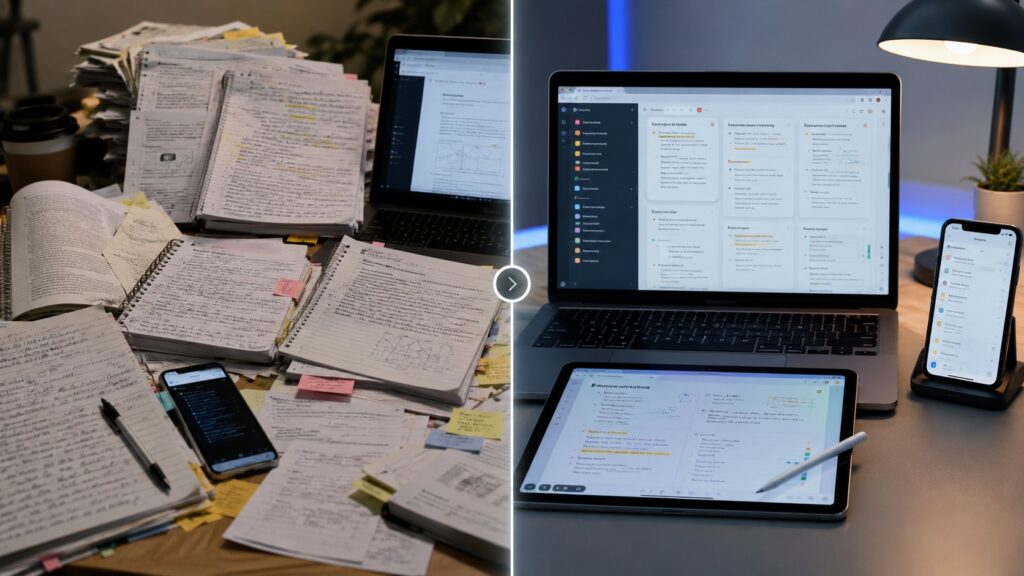
Taking notes is only one part of the learning process.
The bigger challenge is organizing, reviewing, and using those notes effectively throughout the semester.
Most college students don’t struggle because they take poor notes. They struggle because the amount of information grows faster than their ability to manage it.
By mid-semester, many students have dozens of lecture files, PDFs, handwritten pages, screenshots, and voice recordings scattered across different devices.
When exam season arrives, finding the right information becomes almost as difficult as learning it for the first time.
Below are the biggest reasons students find note-taking so overwhelming.
Fast-Paced Lectures
College professors often move quickly through complex topics.
Unlike high school classes, lectures usually aren’t repeated, and instructors expect students to capture important concepts while simultaneously listening and understanding the material.Common challenges include:
Common challenges include:
Missing important explanations
• Falling behind while writing
• Forgetting examples discussed in class
• Incomplete lecture notes
• Losing focus after missing one key point
AI-powered transcription and lecture recording tools help students capture more information without constantly worrying about writing every sentence.
Information Overload
Students rarely study from one source anymore.
A single course may include:
• Classroom lectures
• PowerPoint presentations
• PDF textbooks
• Research papers
• Discussion boards
• Email announcements
• Recorded videos
• Group project documents
Managing all these resources manually becomes overwhelming.
Instead of learning, students often spend valuable time searching for information hidden inside different folders and apps.
AI note-taking tools centralize this information, making everything searchable from one place.
Messy Organization
Many students begin the semester with an organized notebook.
A few weeks later, reality looks very different.
Notes become scattered across:
• Google Docs
• Microsoft Word
• Notion pages
• PDF annotations
• Phone screenshots
• Cloud folders
• Sticky notes
• Physical notebooks
Without a consistent organization system, important information gets buried under dozens of unrelated files.
Modern AI note-taking apps automatically organize notes by subject, topic, keywords, or project, reducing digital clutter and making retrieval much easier.
Revision Becomes Time-Consuming
Writing notes does not guarantee effective revision.
Before exams, students often discover that:
• Notes are too lengthy
• Important concepts aren’t highlighted
• Key definitions are difficult to locate
• Similar topics are spread across multiple files
• Revision takes far longer than expected
Instead of spending hours creating summaries, AI can automatically generate:
• Chapter summaries
• Key points
• Practice questions
• Flashcards
• Exam-ready study guides
This allows students to spend more time reviewing and less time preparing revision materials.
Poor Knowledge Retention
Many students review their notes only a few days before exams.
Unfortunately, information that isn’t revisited regularly is quickly forgotten.
AI helps improve long-term retention by encouraging consistent review through:
• Smart reminders
• Organized study sessions
• Searchable notes
• Automatic summaries
• Active recall tools
• Flashcard generation
Instead of cramming everything at the end of the semester, students can build a steady revision habit from the very beginning.
This is exactly why many students begin searching for the Best AI Note-Taking Apps for College Students.
How AI Changes Note-Taking

The Best AI Note-Taking Apps for College Students simplify every stage of the learning process, from lecture capture to exam revision.
Traditional note-taking usually ends when class finishes.
AI extends the entire learning process beyond the lecture.
Instead of simply storing information, AI transforms notes into an interactive study resource.
A practical AI note-taking workflow looks like this:
Attend Lecture
↓
Capture Audio or Notes
↓
Generate Accurate Transcript
↓
Create AI Summary
↓
Organize Notes by Subject
↓
Highlight Key Concepts
↓
Generate Flashcards
↓
Review Before Exams
Each step reduces manual effort while improving organization and retention.
The result isn’t just better notes—it’s a smarter study system that supports students throughout the semester.
Traditional Note-Taking vs AI Note-Taking
Traditional note-taking often requires students to manually:
• Rewrite messy notes
• Organize folders
• Search through notebooks
• Build revision guides
• Create flashcards
With AI assistance, much of this work becomes automatic.
Students can quickly search their notes, summarize long lectures, identify important concepts, and prepare for exams without repeating hours of manual organization.
The goal isn’t to replace learning.
The goal is to remove repetitive administrative work so students can focus on understanding the material.
How We Selected These AI Note-Taking Apps
Hundreds of AI productivity tools claim to improve note-taking.
Many offer similar features, but not all are practical for college students.
To build this guide, each tool was evaluated using the following criteria.
AI Accuracy
Can the tool generate reliable summaries and organize information without introducing significant errors?
Ease of Use
Can new students begin using the tool quickly without a steep learning curve?
Note Organization
Does the app help categorize, search, and retrieve notes efficiently throughout the semester?
Lecture Support
Can the tool capture or summarize classroom lectures effectively?
Cross-Device Availability
Does it work across laptops, tablets, and smartphones so students can study anywhere?
Pricing and Student Value
Does the free version provide meaningful features, and does the paid plan offer enough additional value to justify the cost?
Privacy and Security
Does the platform provide appropriate privacy protections for uploaded notes and recorded lectures?
The tools in this guide were selected because they help solve real student problems—not because they simply include AI features.
Our goal was to identify the Best AI Note-Taking Apps for College Students based on real academic value rather than marketing claims.
Best AI Note-Taking Apps for College Students
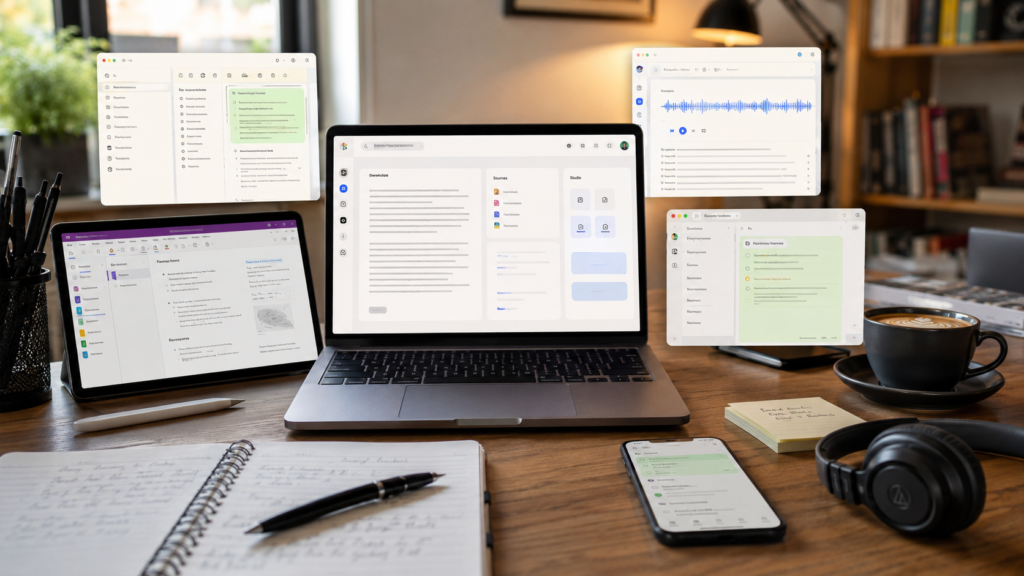
Not every AI note-taking app solves the same problem. Below are the Best AI Note-Taking Apps for College Students, carefully selected for different learning styles, majors, and budgets.
Some tools are excellent at recording lectures. Others organize research papers, summarize long documents, or help students prepare for exams.
Rather than searching for one “perfect” app, most college students achieve better results by combining two or three AI tools into a complete study system.
Below are the best AI note-taking apps for college students in 2026.
📚 NotebookLM
💰 Mostly Free
🎯 Best For: Research-Heavy Courses
📖 Overview
NotebookLM is Google’s AI-powered research notebook built specifically for learning. Instead of acting like a traditional chatbot, it works directly with your uploaded lecture slides, PDFs, textbooks, research papers, and personal notes.
Unlike many AI assistants that generate general answers, NotebookLM grounds its responses in your own study materials, making it one of the most reliable AI note-taking apps for academic work.
🎯 Best For
✅ Research-Heavy Courses✅ Literature Reviews
✅ PDF Lecture Notes
✅ Exam Preparation
✅ Graduate-Level Study
⚡ Key Features
✅ AI-Generated Note Summaries✅ Source-Based Answers
✅ Smart Document Search
✅ Audio Overview Generation
✅ Study Guide Creation
✅ Timeline Organization
✅ Multiple Notebook Management
✅ Why Students Love It
✔ Excellent accuracy using uploaded sources✔ Handles hundreds of pages efficiently
✔ Perfect for research papers
✔ Strong citation awareness
✔ Free for most students
✔ Easy Google ecosystem integration
⚠ Things to Consider
✖ Requires uploading study materials✖ Less useful without source documents
✖ Limited handwriting support
💰 Pricing
Mostly FreePremium features are available through Google’s AI subscription plans.
🌍 Official Website
Google NotebookLM👨🎓 Ideal Student Type
🎓 College Students💼 MBA Students
📖 Master’s Students
🔬 PhD Researchers
📑 Students Working with Academic Papers
💡 Real Student Scenario
Emily is preparing for a psychology midterm. She uploads six lecture PDFs, two research papers, and her class notes into NotebookLM.
Within seconds, NotebookLM generates organized summaries that reduce several hours of revision into manageable study sessions, helping Emily focus on learning instead of searching through hundreds of pages.
📝 Notion AI
💰 Freemium
🎯 Best For: Semester Planning
📖 Overview
Notion AI transforms a traditional note-taking workspace into an intelligent academic dashboard. Instead of simply storing notes, it helps students organize lectures, assignments, deadlines, projects, and study materials inside one connected system.
Students who enjoy structured planning often combine Notion AI with Google Calendar and other AI study planners to build a complete productivity workflow for the entire semester.
🎯 Best For
✅ Semester Planning✅ Organized Note Management
✅ Assignment Tracking
✅ Course Dashboards
✅ Long-Term Productivity
⚡ Key Features
✅ AI Writing Assistance✅ Automatic Summaries
✅ Smart Note Organization
✅ Database Management
✅ Task Tracking
✅ Calendar Integration
✅ Custom Study Templates
✅ Why Students Love It
✔ Extremely customizable✔ Combines planning with note-taking
✔ Excellent cross-device synchronization
✔ Supports collaborative projects
✔ Strong productivity ecosystem
⚠ Things to Consider
✖ Takes time to learn✖ Advanced features may require a paid plan
✖ Beginners can feel overwhelmed initially
💰 Pricing
FreemiumAI features vary depending on the subscription plan.
🌍 Official Website
Visit Notion →👨🎓 Ideal Student Type
🎓 College Students Managing Multiple Subjects💼 MBA Students
💻 Students Balancing Academics and Internships
🚀 Productivity-Focused Learners
💡 Real Student Scenario
Alex studies computer science while working part-time. Instead of juggling multiple productivity apps, he manages everything inside a single Notion AI workspace.
📚 Lecture Notes
📝 Weekly Assignments
📅 Project Deadlines
📖 Revision Schedules
💼 Internship Tasks
By keeping all of his academic and personal responsibilities in one organized dashboard, Alex spends less time switching between apps and more time focusing on studying and completing important tasks.
🎙️ Otter.ai
💰 Free + Premium
🎯 Best For: Live Lecture Notes
📖 Overview
Otter.ai specializes in one thing exceptionally well—capturing classroom lectures. It records spoken conversations, automatically converts speech into searchable text, and generates AI-powered summaries after class.
For students who struggle to write notes while listening, Otter.ai significantly reduces the pressure of keeping up during lectures and makes reviewing important topics much easier.
🎯 Best For
✅ Live Lectures✅ Online Classes
✅ Guest Seminars
✅ Group Discussions
✅ Study Meetings
⚡ Key Features
✅ Real-Time Transcription✅ AI Lecture Summaries
✅ Speaker Identification
✅ Searchable Transcripts
✅ Highlight Important Moments
✅ Cloud Synchronization
✅ Mobile Recording
✅ Why Students Love It
✔ Saves missed lecture details✔ Highly accurate transcription
✔ Easy to search later
✔ Excellent for revision
✔ Supports both in-person and online classes
⚠ Things to Consider
✖ Audio quality affects transcription accuracy✖ Free plan includes limited transcription minutes
✖ Recording policies vary between universities
💰 Pricing
Free Plan AvailablePremium subscriptions unlock additional recording time and advanced AI features.
🌍 Official Website
Visit Otter.ai →👨🎓 Ideal Student Type
🎓 Students Attending Lecture-Heavy Courses🩺 Medical Students
⚖️ Law Students
⚙️ Engineering Students
♿ Students with Accessibility Needs
💡 Real Student Scenario
During a two-hour economics lecture, David focuses entirely on understanding the professor instead of trying to write every sentence by hand.
📝 Records the entire lecture
🔍 Creates a searchable transcript
⭐ Highlights key discussion points
🤖 Generates an AI-powered summary
Later that evening, David reviews the organized transcript and summary in minutes. Instead of spending hours rewriting notes, he can focus on understanding concepts and preparing for upcoming exams.
🔥 Fireflies AI
💰 Freemium
🎯 Best For: Group Projects & Study Meetings
📖 Overview
Fireflies AI is an AI-powered meeting assistant that automatically records, transcribes, summarizes, and organizes conversations. Although it was originally designed for business meetings, many college students now use it for group projects, online classes, research discussions, and collaborative study sessions.
Its biggest advantage is reducing the need to manually write notes during conversations, allowing students to stay engaged while AI captures the important details automatically.
🎯 Best For
✅ Group Projects✅ Online Lectures
✅ Research Discussions
✅ Study Group Meetings
✅ Team Collaboration
⚡ Key Features
✅ Automatic Meeting Recording✅ AI-Powered Transcription
✅ Smart Summaries
✅ Searchable Conversations
✅ Speaker Identification
✅ Action Item Detection
✅ Cloud Storage Integration
✅ Why Students Love It
✔ Excellent collaboration features✔ Accurate meeting summaries
✔ Easy keyword search
✔ Saves hours of manual note-taking
✔ Supports multiple video conferencing platforms
⚠ Things to Consider
✖ Primarily designed for meetings rather than classrooms✖ Advanced AI features require a paid plan
✖ Recording permissions should always be respected
💰 Pricing
FreemiumPremium plans unlock longer recordings, advanced AI summaries, and additional integrations.
🌍 Official Website
Visit Fireflies AI →👨🎓 Ideal Student Type
🎓 MBA Students💼 Business Students
👥 Students Working on Team Assignments
💻 Remote Learners
🔬 Students Involved in Research Collaboration
💡 Real Student Scenario
Sarah’s marketing group meets twice every week to discuss a semester-long project. Instead of assigning one person to take notes, the entire team stays focused on the discussion.
🎙️ Records the meeting
📝 Generates an organized transcript
📋 Creates an AI-powered summary
✅ Identifies action items for each teammate
🔍 Makes every discussion searchable later
After each meeting, every team member receives the same organized notes and action items. No important decisions are forgotten, collaboration becomes smoother, and the group stays aligned throughout the entire project.
📒 Microsoft OneNote + Copilot
💰 Free + Premium
🎯 Best For: Digital Notebooks & Handwritten Notes
📖 Overview
Microsoft OneNote has long been one of the most popular digital notebooks for students. With Microsoft Copilot, it becomes a powerful AI-assisted study companion capable of organizing notebooks, summarizing notes, generating outlines, and helping students review information more efficiently.
Students already using Microsoft Office will find OneNote + Copilot integrates naturally into their existing workflow, making it an excellent choice for managing lectures, assignments, and long-term study materials.
🎯 Best For
✅ Digital Notebooks✅ Handwritten Notes
✅ Windows Users
✅ Organized Lecture Notes
✅ Long-Term Course Management
⚡ Key Features
✅ AI-Generated Summaries✅ Smart Notebook Organization
✅ Handwriting Support
✅ Ink-to-Text Conversion
✅ Cross-Device Synchronization
✅ Microsoft 365 Integration
✅ Powerful Search
✅ Why Students Love It
✔ Excellent handwriting support✔ Reliable cloud synchronization
✔ Strong Microsoft ecosystem
✔ Ideal for tablet note-taking
✔ Organized notebook structure
⚠ Things to Consider
✖ Copilot requires a Microsoft subscription✖ AI capabilities vary depending on your plan
✖ Some advanced features are unavailable in the free version
💰 Pricing
OneNote is FreeMicrosoft Copilot requires an eligible Microsoft subscription to access advanced AI-powered features.
🌍 Official Website
Visit Microsoft OneNote →👨🎓 Ideal Student Type
🎓 Windows Laptop Users💻 Surface Tablet Users
⚙️ Engineering Students
✍️ Students Who Prefer Handwritten Notes
🪟 Microsoft Ecosystem Users
💡 Real Student Scenario
James uses a Microsoft Surface tablet during engineering lectures. Instead of typing everything, he writes equations, diagrams, and formulas naturally inside OneNote while focusing on the professor’s explanations.
📝 Summarizing the lecture
📚 Organizing formulas into topics
📋 Creating a structured revision outline
🔍 Making notes easier to search
🎯 Preparing study material before exams
Before exams, James quickly reviews AI-generated summaries and organized notes instead of searching through dozens of notebook pages. This saves time while making revision more structured and efficient.
🧠 Mem AI
💰 Paid
🎯 Best For: Automatic Note Organization
📖 Overview
Mem AI approaches note-taking differently from traditional notebooks. Instead of expecting students to organize folders manually, it uses artificial intelligence to automatically connect related notes, tag information, and build an intelligent knowledge base.
Students who frequently collect ideas, research findings, lecture insights, and reference materials may appreciate its automated organization system, which keeps everything connected without requiring manual sorting.
🎯 Best For
✅ Automatic Note Organization✅ Knowledge Management
✅ Research Projects
✅ Long-Term Information Storage
⚡ Key Features
✅ AI-Powered Tagging✅ Automatic Note Linking
✅ Smart Search
✅ Context-Aware Organization
✅ Knowledge Graph Connections
✅ Fast Note Retrieval
✅ Why Students Love It
✔ Minimal manual organization✔ Intelligent search capabilities
✔ Clean and distraction-free interface
✔ Excellent for large collections of notes
✔ AI automatically discovers relationships between topics
⚠ Things to Consider
✖ Premium-focused pricing✖ Smaller ecosystem than Notion
✖ Learning curve for new users
💰 Pricing
PaidFree access may be limited depending on the current subscription plans.
🌍 Official Website
Visit Mem AI →👨🎓 Ideal Student Type
🎓 Graduate Students🔬 Research Students
📚 Students Managing Multiple Long-Term Projects
💼 Knowledge Workers
💡 Real Student Scenario
During a semester-long public health project, Emma collects lecture notes, journal articles, research statistics, and professor feedback. Instead of manually creating folders and categories, she saves everything directly into Mem AI.
🔗 Connects related notes
🏷️ Applies AI-generated tags
🔍 Makes research instantly searchable
🕸️ Builds relationships between topics
📂 Eliminates manual folder organization
When it’s time to write her final report, Emma quickly finds every related source through AI-powered connections instead of searching through dozens of folders. This saves valuable research time and keeps her entire project organized automatically.
📝 Evernote AI
💰 Freemium
🎯 Best For: Long-Term Note Storage
📖 Overview
Evernote remains one of the most established digital note-taking platforms. With AI-powered search and summarization, it helps students organize years of lecture notes, research papers, scanned documents, and personal study materials inside one searchable workspace.
Its biggest strength lies in long-term academic organization rather than live lecture capture, making it an excellent choice for students who want to build a well-organized knowledge library throughout their education.
🎯 Best For
✅ Long-Term Note Storage✅ Research Organization
✅ PDF Management
✅ Cross-Device Access
⚡ Key Features
✅ AI Search✅ AI Summaries
✅ Web Clipping
✅ PDF Annotation
✅ Document Scanning
✅ Task Management
✅ Cross-Device Synchronization
✅ Why Students Love It
✔ Mature and trusted platform✔ Reliable long-term organization
✔ Excellent document management
✔ Powerful AI-powered search
✔ Supports multiple file types
⚠ Things to Consider
✖ Premium features can be expensive✖ Free plan has usage limitations
✖ Less specialized for classroom lectures
💰 Pricing
FreemiumPremium plans unlock advanced AI capabilities, additional storage, and enhanced productivity features.
🌍 Official Website
Visit Evernote →👨🎓 Ideal Student Type
🎓 College Students🎓 Graduate Students
📚 Students Storing Several Semesters of Notes
🔬 Research-Focused Learners
💡 Real Student Scenario
After three years at university, Michael has accumulated thousands of lecture notes, research papers, scanned handouts, and study materials inside Evernote.
🔍 Instantly finding notes with AI Search
📄 Searching across PDFs and scanned documents
📝 Generating quick summaries
📚 Organizing years of study materials
⚡ Saving hours of manual searching
Before final exams, Michael simply searches for a specific topic, and Evernote AI instantly retrieves every related note from multiple semesters. Instead of wasting time browsing folders, he can focus entirely on reviewing and understanding the material.
📝 Google Keep + Gemini
💰 Free
🎯 Best For: Quick Notes & Daily Study Organization
📖 Overview
Google Keep is designed for quick note capture, while Gemini adds AI-powered assistance for organizing, summarizing, and expanding those notes. Together, they provide a lightweight solution for students who need fast access to ideas without managing a complex workspace.
Although not intended for extensive lecture management, this combination works exceptionally well for everyday productivity, helping students organize reminders, assignments, and study notes with minimal effort.
🎯 Best For
✅ Quick Notes✅ Daily Reminders
✅ Simple Study Organization
✅ Brainstorming
✅ Task Lists
⚡ Key Features
✅ Voice Notes✅ Checklists
✅ Labels
✅ Color Coding
✅ Cross-Device Synchronization
✅ AI-Assisted Summaries with Gemini
✅ Google Workspace Integration
✅ Why Students Love It
✔ Completely free for most users✔ Extremely easy to learn
✔ Fast note capture
✔ Excellent mobile experience
✔ Works seamlessly with Google services
⚠ Things to Consider
✖ Limited organization for large lecture collections✖ Fewer advanced AI features than NotebookLM
✖ Not designed for extensive research projects
💰 Pricing
FreeGemini’s advanced AI features depend on the selected Google AI subscription plan.
🌍 Official Website
Visit Google Keep →👨🎓 Ideal Student Type
🎓 First-Year College Students💰 Budget-Conscious Students
📝 Students Who Prefer Simple Note-Taking
📱 Android Users
💡 Real Student Scenario
While walking between classes, Olivia quickly records voice reminders, saves assignment ideas, and captures lecture screenshots in Google Keep without interrupting her busy schedule.
🎤 Recording voice notes instantly
📝 Saving assignment ideas
📸 Storing lecture screenshots
✨ Summarizing notes with Gemini
✅ Creating a clean study checklist for the next day
By the evening, Gemini transforms Olivia’s scattered notes into an organized action plan, allowing her to start studying immediately instead of spending time sorting information manually.
🪨 Obsidian
💰 Free
🎯 Best For: Knowledge Management & Offline Note-Taking
📖 Overview
Obsidian is a powerful knowledge management application that has become extremely popular among university students, graduate researchers, and engineering majors. Unlike traditional note-taking apps, Obsidian connects related notes using internal links, helping students build a personal knowledge network instead of isolated documents.
One of its biggest advantages is offline storage. Students maintain complete ownership of their notes while using AI plugins to summarize content, generate study materials, and organize ideas for long-term learning.
🎯 Best For
✅ Engineering Students✅ Computer Science Majors
✅ Law Students
✅ Graduate Research
✅ Offline Note Management
⚡ Key Features
✅ Local Offline Storage✅ Markdown Note Editing
✅ Linked Knowledge Graphs
✅ Graph View Visualization
✅ Community AI Plugins
✅ Fast Global Search
✅ Cross-Platform Support
✅ Why Students Love It
✔ Complete ownership of notes✔ Excellent long-term organization
✔ Highly customizable
✔ Works completely offline
✔ Huge plugin ecosystem
✔ Outstanding for research-heavy learning
⚠ Things to Consider
✖ Learning curve for beginners✖ AI features require third-party plugins
✖ Initial setup takes time
💰 Pricing
FreeOptional paid synchronization services are available for users who want cloud syncing across devices.
🌍 Official Website
Visit Obsidian →👨🎓 Ideal Student Type
🎓 Engineering Students⚖️ Law Students
🔬 PhD Researchers
🧠 Knowledge Management Enthusiasts
💻 Students Who Prefer Offline-First Tools
💡 Real Student Scenario
Jacob studies mechanical engineering and uses Obsidian to build a connected knowledge base instead of keeping every lecture in separate folders.
🔥 Thermodynamics
💧 Fluid Mechanics
🌡️ Heat Transfer
⚙️ Machine Design
🔗 Related engineering concepts through internal links
By exam week, Jacob doesn’t search through hundreds of isolated files. Instead, he navigates a connected knowledge network where every topic links to related concepts, making revision faster, deeper, and far more efficient.
🧠 RemNote
💰 Freemium
🎯 Best For: Active Recall & Spaced Repetition
📖 Overview
RemNote combines AI-powered note-taking with active recall and spaced repetition. Rather than simply storing information, it continuously helps students remember it through scientifically proven learning techniques.
This makes it especially valuable for subjects requiring heavy memorization, where repeated review is essential for long-term retention and exam success.
🎯 Best For
✅ Medical Students✅ Biology
✅ Chemistry
✅ Nursing
✅ Memorization-Heavy Courses
⚡ Key Features
✅ AI Note Organization✅ Built-In Flashcards
✅ Spaced Repetition
✅ Active Recall Learning
✅ Knowledge Linking
✅ Daily Review Scheduling
✅ Smart Search
✅ Why Students Love It
✔ Excellent for exam preparation✔ Combines notes with revision
✔ Reduces forgetting over time
✔ Automatic flashcard generation
✔ Built on proven learning science
⚠ Things to Consider
✖ Less suitable for simple note storage✖ Interface takes time to master
✖ Premium features unlock additional functionality
💰 Pricing
FreemiumPremium plans include additional AI capabilities and advanced learning features.
🌍 Official Website
Visit RemNote →👨🎓 Ideal Student Type
🎓 Medical Students🩺 Nursing Students
🧪 STEM Majors
🏆 Students Preparing for Competitive Exams
💡 Real Student Scenario
Priya is preparing for her anatomy exams and needs to remember hundreds of medical terms, body systems, and complex definitions. Instead of rereading hundreds of pages every week, she relies on RemNote’s intelligent review system.
📝 Organizes her notes with AI
🃏 Creates flashcards automatically
🔄 Schedules reviews using spaced repetition
💡 Reinforces learning with active recall
📅 Delivers the right topics at the right time
As exam day approaches, Priya spends less time rereading notes and more time strengthening her memory through personalized review sessions. This helps her retain complex information longer while making revision far more efficient.
AI Note-Taking Comparison Table
📚 NotebookLM
📖 Research🎯 Best For
Research & PDFs
💰 Pricing
Free / Freemium
✅ Biggest Strength
Source-grounded AI summaries.
❌ Main Limitation
Requires uploaded documents.
📝 Notion AI
📚 Semester🎯 Best For
Semester organization
💰 Pricing
Freemium
✅ Biggest Strength
Excellent productivity workspace.
❌ Main Limitation
Learning curve.
🎙️ Otter.ai
🎓 Lectures🎯 Best For
Live lectures
💰 Pricing
Freemium
✅ Biggest Strength
Real-time transcription.
❌ Main Limitation
Recording limits.
🔥 Fireflies AI
👥 Meetings🎯 Best For
Group meetings
💰 Pricing
Freemium
✅ Biggest Strength
Collaboration summaries.
❌ Main Limitation
Meeting-focused.
📒 OneNote + Copilot
✍️ Notes🎯 Best For
Digital notebooks
💰 Pricing
Free / Paid
✅ Biggest Strength
Handwriting + AI support.
❌ Main Limitation
Copilot subscription required.
🧠 Mem AI
🧩 Knowledge🎯 Best For
Knowledge management
💰 Pricing
Paid
✅ Biggest Strength
Automatic organization.
❌ Main Limitation
Premium pricing.
📔 Evernote AI
📦 Archive🎯 Best For
Long-term storage
💰 Pricing
Freemium
✅ Biggest Strength
Powerful search.
❌ Main Limitation
Paid AI features.
📌 Google Keep + Gemini
⚡ Quick🎯 Best For
Quick notes
💰 Pricing
Free
✅ Biggest Strength
Fast note capture.
❌ Main Limitation
Limited organization.
🔗 Obsidian
🕸️ Offline🎯 Best For
Offline knowledge base
💰 Pricing
Free
✅ Biggest Strength
Linked notes.
❌ Main Limitation
Requires setup.
🎯 RemNote
🎓 Exams🎯 Best For
Exam revision
💰 Pricing
Freemium
✅ Biggest Strength
Flashcards + spaced repetition.
❌ Main Limitation
Learning curve.
This comparison makes it easier to identify the best AI note-taking tool based on your study style, workflow, collaboration needs, and budget.
Best AI Note-Taking App by Student Situation
How to Build the Perfect AI Note-Taking System

Using the Best AI Note-Taking Apps for College Students is only effective when they’re part of a structured study system.
The best AI note-taking setup isn’t about installing the most apps.
It’s about building a simple system that captures information, keeps it organized, and makes revision easier throughout the semester.
Instead of relying on one application to do everything, assign each tool a specific responsibility.
Step 1 – Capture Everything During Class
The first goal is making sure nothing important is lost.
Use one tool for lecture capture.
Recommended options:
• Otter.ai
• Fireflies AI
• OneNote
• Google Keep (quick ideas)
Don’t worry about creating perfect notes during class.
Focus on understanding the lecture while AI captures the details.
Step 2 – Organize Notes Immediately After Class
Spend five to ten minutes after every lecture organizing your material.
Create folders such as:
• Biology
• Economics
• Mathematics
• Marketing
• Computer Science
Inside each subject, organize notes by:
• Week
• Chapter
• Lecture
• Assignment
• Lab
Apps like Notion AI, Evernote AI, and Obsidian make this process much easier.
Step 3 – Let AI Generate Summaries
Reading long lecture notes repeatedly wastes valuable study time.
Instead, use AI to create:
• Lecture summaries
• Key concepts
• Important definitions
• Formula sheets
• Topic overviews
NotebookLM performs exceptionally well because it only summarizes information from your uploaded materials.
This reduces hallucinations and improves reliability.
Step 4 – Build Flashcards Automatically
Reading notes alone isn’t enough for long-term memory.
Convert important concepts into flashcards using AI.
Great tools include:
• RemNote
• ChatGPT
• NotebookLM
• Quizlet AI
Active recall helps students remember information much longer than passive reading.
Step 5 – Review Every Week
Don’t wait until finals.
Reserve one weekly review session.
Example:
Sunday Review
• Clean up notes
• Remove duplicates
• Review summaries
• Update flashcards
• Plan next week’s study sessions
Small weekly reviews prevent information overload later.
Step 6 – Connect Notes With Assignments
Your lecture notes should directly support coursework.
Whenever a professor announces:
• Homework
• Essay
• Lab report
• Presentation
• Group project
Link those tasks to the relevant lecture notes.
Notion AI is especially useful for connecting notes with deadlines.
Step 7 – Prepare Smarter Before Exams
Instead of rereading every notebook, use AI to generate:
• Final revision guides
• Topic checklists
• Practice questions
• Flashcards
• Summary sheets
By exam week, most of your preparation should already be complete.
Weekly AI Note Review Workflow

A consistent review routine is more effective than occasional marathon study sessions.
Monday – Capture
• Record lectures
• Save class slides
• Upload PDFs
Tuesday – Organize
• Sort notes into subjects
• Rename files
• Remove duplicate material
Wednesday – Summarize
Use AI to generate:
• Chapter summaries
• Key concepts
• Important definitions
Thursday – Connect Knowledge
Link lecture notes with:
• Assignments
• Research papers
• Previous lectures
• Project work
Friday – Build Flashcards
Create:
• Active recall cards
• Practice questions
• Quiz material
Saturday – Deep Study Session
Review:
• Weak topics
• Difficult concepts
• Upcoming assignments
Spend uninterrupted time understanding—not just reading—the material.
Sunday – Weekly Reset
Before the new week begins:
• Archive completed notes
• Plan next week’s lectures
• Review unfinished topics
• Prepare study schedule
A weekly reset keeps notes organized all semester instead of becoming overwhelming before finals.
Consistently following this routine helps students get the most from the Best AI Note-Taking Apps for College Students.
Traditional Notes vs AI Notes
Key Takeaway
Traditional note-taking is still valuable because writing helps learning.
However, AI removes repetitive work like organizing, searching, summarizing, and preparing revision materials.
The most successful students combine both approaches:
• Take meaningful notes during class.
• Let AI organize, summarize, and improve those notes afterward.
This balance helps students stay engaged during lectures while reducing stress throughout the semester.
This comparison explains why many students are switching to the Best AI Note-Taking Apps for College Students.
Privacy and Ethical Considerations
AI note-taking apps can dramatically improve productivity, but students should use them responsibly.
Understanding both privacy and academic integrity helps you avoid problems while getting the most value from these tools.
Respect Your University’s Recording Policies
Not every college allows unrestricted lecture recording.
Before recording a class using AI, check:
• University policies
• Course syllabus
• Instructor permissions
• Local privacy regulations
Some professors permit recordings only for personal study purposes.
Protect Sensitive Information
Lecture notes sometimes include:
• Student discussions
• Personal information
• Confidential research
• Unpublished data
Avoid uploading sensitive material unless you’re confident the platform meets your privacy requirements.
Review AI Summaries Carefully
AI summaries are helpful but not perfect.
Always verify:
• Definitions
• Equations
• Dates
• Statistics
• Research findings
Think of AI as a study assistant—not your final authority.
Use AI to Support Learning, Not Replace It
AI should help you:
• Organize notes
• Save timeImprove revision
• Find information faster
It should never replace:
• Attending lectures
• Understanding concepts
• Critical thinking
• Independent learning
Common Mistakes Students Make

Even the best AI tools won’t improve your grades if they’re used incorrectly.
Mistake 1 – Recording Everything but Reviewing Nothing
Many students collect hundreds of pages of notes but never revisit them.
Capture is only the first step.
Regular review creates real learning.
Mistake 2 – Using Too Many Apps
Installing six different note-taking apps usually creates more confusion.
Choose a small toolkit that works together.
Example:
• NotebookLM
• Notion AI
• Otter.ai
This combination covers most academic needs.
Mistake 3 – Trusting AI Without Verification
AI occasionally misunderstands lectures or summarizes concepts incorrectly.
Always compare AI-generated notes with:
• Lecture slides
• Textbooks
• Professor explanations
Mistake 4 – Waiting Until Finals Week
Organizing months of lecture notes one week before exams is stressful.
Instead:
• Organize weekly.
• Review consistently.
• Revise gradually.
Mistake 5 – Ignoring Active Recall
Reading notes repeatedly is not enough.
After summarizing notes with AI:
• Create flashcards.
• Answer practice questions.
• Test yourself regularly.
❌ Myth vs ✅ Reality
❌ Myth
One AI app can solve every study problem.
✅ Reality
Most students achieve better results by combining multiple specialized AI tools for different study tasks.
❌ Myth
AI replaces note-taking completely.
✅ Reality
AI improves note-taking, but active learning, reviewing, and understanding remain essential.
❌ Myth
More notes always mean better learning.
✅ Reality
Well-organized, meaningful notes are far more valuable than large collections of information.
❌ Myth
AI summaries are always accurate.
✅ Reality
Students should always verify important academic information using trusted sources.
❌ Myth
Paid tools are always better.
✅ Reality
Many free AI note-taking apps provide outstanding features for college students.
❌ Myth
AI guarantees higher grades.
✅ Reality
Better organization supports learning, but consistent study habits and practice still matter most.
Expert Tips

These expert recommendations will help you maximize the value of the Best AI Note-Taking Apps for College Students.
Build One System, Not Ten
Keep your workflow simple.
Example:
• Otter.ai → Record lectures
• NotebookLM → Summarize materials
• Notion AI → Organize courses
• RemNote → Review with flashcards
Review Notes Within 24 Hours
Research consistently shows that reviewing information soon after class improves long-term retention.
Spend just 10–15 minutes reviewing each lecture.
Separate Capture From Learning
During class:
Focus on understanding.
After class:
Use AI to organize and summarize.
Trying to perfect notes during lectures often reduces comprehension.
Use Weekly Note Reviews
Schedule one weekly review session.
During this time:
• Clean up notes
• Remove duplicates
• Merge related topics
• Update summaries
• Prepare for upcoming classes
Keep Your Digital Workspace Organized
Create consistent folders such as:
• Semester
• Subject
• Week
• Assignments
• Revision
• Research
Good organization saves hours later.
Conclusion
Choosing the Best AI Note-Taking Apps for College Students isn’t about finding one perfect application.
It’s about building a system that captures information, organizes it intelligently, and makes revision easier throughout the semester.
Whether you prefer NotebookLM for research, Notion AI for organization, Otter.ai for lecture recording, or RemNote for exam preparation, the right combination can save time, reduce stress, and improve your study workflow.
Use AI responsibly, review your notes regularly, verify important information, and stay actively engaged in your learning.
Students who succeed with AI aren’t replacing study habits—they’re making those habits smarter.
If you’re looking to improve productivity throughout the semester, investing time in choosing the Best AI Note-Taking Apps for College Students may be one of the smartest academic decisions you’ll make.
📚 Continue Learning
Want to explore more AI-powered study tools? These hand-picked guides will help you improve productivity, organize notes, prepare for exams, and complete assignments more efficiently.
Best AI Study Planner for College Students
Learn how AI planners organize assignments, deadlines, and weekly study schedules.
Best AI Tools for Automatic Lecture Notes
Discover tools that automatically capture and organize classroom lectures.
Best AI Tools for Students With Messy Class Notes
Turn scattered notes into structured study materials.
How to Create Study Flashcards With AI
Convert your notes into effective flashcards for active recall.
Best AI Tools for Academic Research for Students
Find, organize, and analyze academic sources more efficiently.
Best AI Tools for Literature Review for Students
Speed up literature reviews with AI-powered research assistance.
AI Tools to Help Students Review Long Chapters
Summarize textbooks and lengthy readings before exams.
Best AI Tools for Students Preparing for Exams at the Last Minute
Create a smart revision strategy when time is limited.
Best AI Tools for Students Trying to Recover From Homework Backlogs
Get back on track with overdue assignments using AI.
Best AI Tools for Students With Too Many Assignments
Prioritize workloads and reduce academic stress with AI.